
Bookkeeping Best Practices: Essential Steps for Clean Records
Clean financial records are the foundation of every successful business. Without them, you risk missed deductions, compliance issues, and poor decision-making.
Bookkeeping best practices don’t require complex systems or expensive tools. This guide walks you through four essential steps to organize your accounts, reconcile regularly, automate workflows, and build a financial foundation that supports growth.
Build Your Chart of Accounts the Right Way
Your chart of accounts forms the skeleton of your entire bookkeeping system. Get it wrong, and every financial report you generate will mislead you. Get it right, and you’ll spend less time searching for transactions and more time understanding your business.
Start with the Five Standard Categories
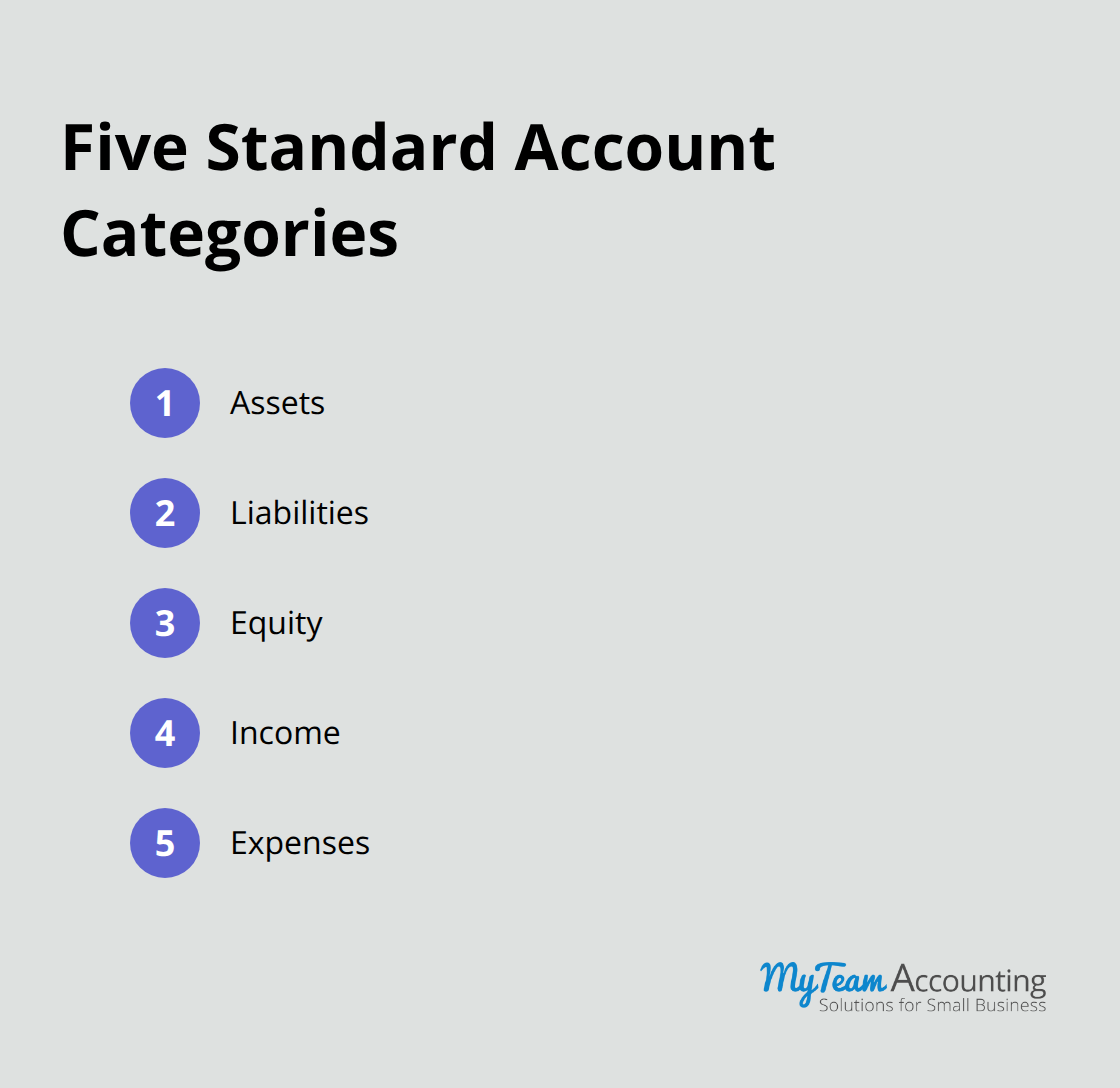
Start with the five standard account categories: assets, liabilities, equity, income, and expenses. Within expenses, most small businesses need between 20 and 40 accounts to capture meaningful detail without creating administrative bloat.
Use Clear, Descriptive Naming Conventions
The real power comes from naming conventions that anyone on your team can understand instantly. Instead of vague labels like Misc or Other, use descriptive names like Office Supplies, Professional Services, or Vehicle Maintenance. Include a number prefix if your software supports it, organizing them sequentially within each category. This prevents duplicate accounts and makes your financial statements easier to read.
Map Out Your Chart Before You Record Transactions
Before you enter a single transaction, map out your complete chart of accounts on paper or in a spreadsheet. This takes two to three hours but saves dozens of hours later when you don’t have to reclassify thousands of transactions. Talk to your accountant or bookkeeper about your specific industry. Restaurants need different expense categories than consulting firms. If you use accounting software like QuickBooks Online or Xero, both platforms include industry-specific chart of accounts templates that serve as a solid starting point. Customize the template rather than building from scratch.
Review and Refine Your Chart Regularly
Once your chart is live, treat it as a living document. Review it quarterly to identify unused accounts you can archive and spot new categories that have emerged. If you’ve created fifteen separate travel accounts when five would suffice, consolidate them. Small adjustments prevent your chart from becoming unwieldy over time and keep your financial data organized for the years ahead. With a solid chart in place, you’re ready to establish reconciliation processes that catch errors before they compound.
Catch Errors Before They Spiral
Monthly Bank Reconciliation Stops Problems Early
Reconciliation exposes sloppy bookkeeping faster than any other process. A single uncategorized transaction or a mismatched invoice hides for months, then compounds into a nightmare during tax season. The difference between businesses with clean records and those drowning in corrections comes down to one habit: they reconcile frequently and they fix problems immediately.
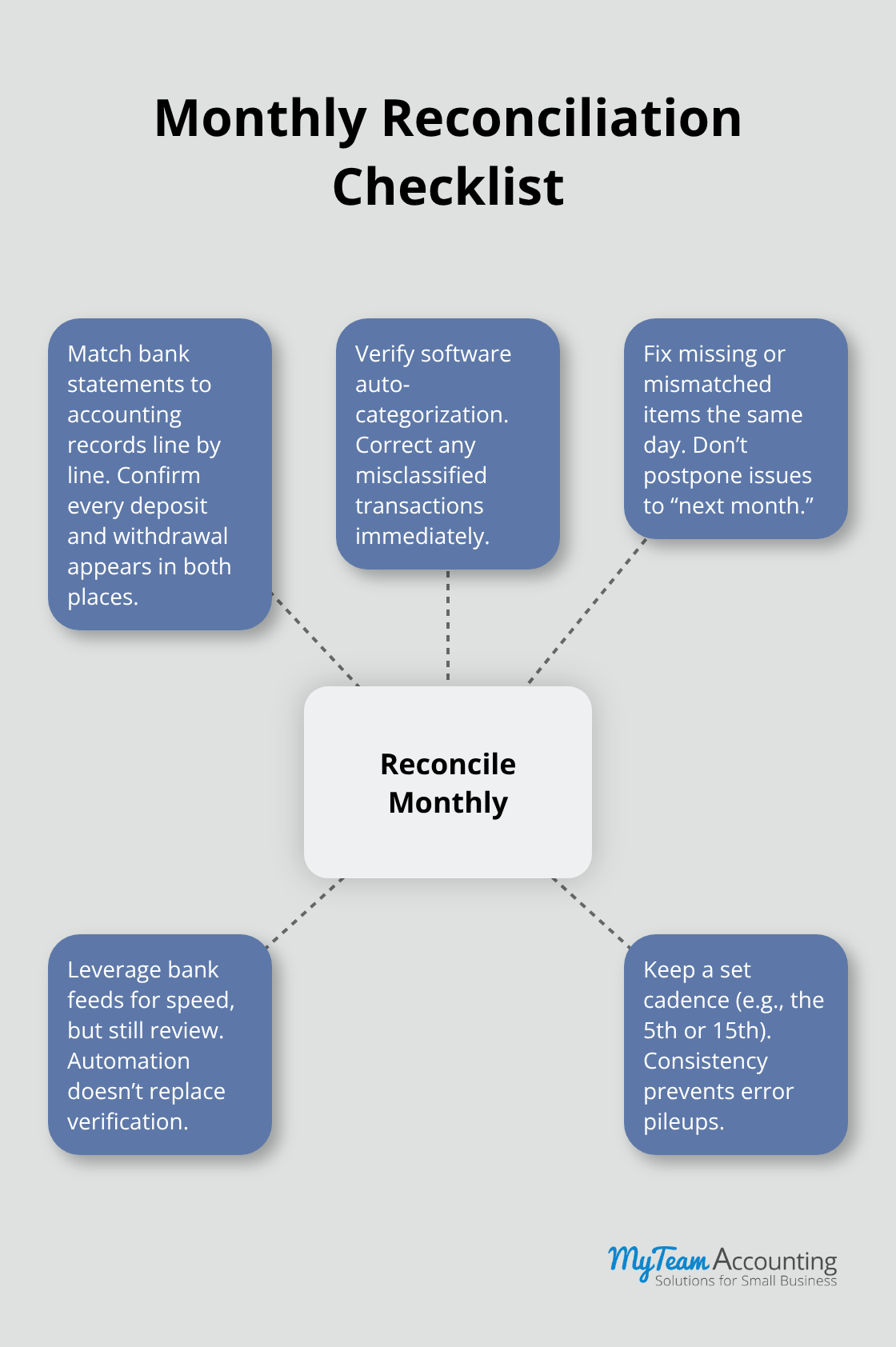
Start with your monthly bank reconciliation. Every single month, you must sit down and match your bank statement to your accounting software. This task is non-negotiable. Most small business owners wait three to six months before reconciling, which means errors pile up and become exponentially harder to trace. Xero and QuickBooks Online both automate much of this work with bank feeds, but you still need to verify that the software categorized transactions correctly. Spend 30 minutes each month on this task. Open your bank statement, pull up your accounting software, and confirm that every deposit and withdrawal appears in both places. If a transaction is missing or categorized wrong, fix it immediately. Do not tell yourself you will handle it next month.
Match Invoices to Payments with Precision
Beyond bank reconciliation, you must match invoices to payments with the same rigor. Pull your unpaid invoice report monthly and cross-reference it against your bank deposits. If you invoiced a client for $5,000 but only received $3,500, you need to know this immediately, not when you chase payment six months later. Many small business owners skip this step entirely, which means they miss discounts clients took without permission or payments that arrived in chunks.
Set a specific day each month (perhaps the 5th or the 15th) when you complete both reconciliations back-to-back. Treat it as non-negotiable. When you discover discrepancies, you must investigate the root cause before you move forward. A missing $200 expense might be a duplicate entry, a vendor invoice you have not recorded yet, or a genuine bank error. Do not simply delete it. Document what happened, update your records accordingly, and adjust your categories if needed. This discipline prevents the same mistakes from repeating next month.
Turn Discrepancies into Actionable Corrections
Clean records do not happen by accident. They happen because someone takes 30 to 45 minutes each month to verify that reality matches your books. When you uncover a discrepancy, you gain the opportunity to strengthen your entire system. Each correction teaches you where your process breaks down, whether in data entry, categorization, or vendor communication. These monthly sessions also prepare you for the next phase of bookkeeping excellence: automation. Once your reconciliation process runs smoothly and your records stay accurate, you can leverage technology to eliminate manual data entry and reduce the time you spend on routine tasks.
Automate Your Bookkeeping Workflow
Bank Feeds Eliminate Manual Transaction Entry
Reconciliation catches errors, but automation prevents them from happening in the first place. Most small business owners waste significant time on tasks that technology can handle instantly. You type deposits and withdrawals that your bank already knows about, categorize expenses that follow predictable patterns, and recreate the same invoice formats week after week. QuickBooks Online and Xero eliminate this waste entirely if you configure them correctly.
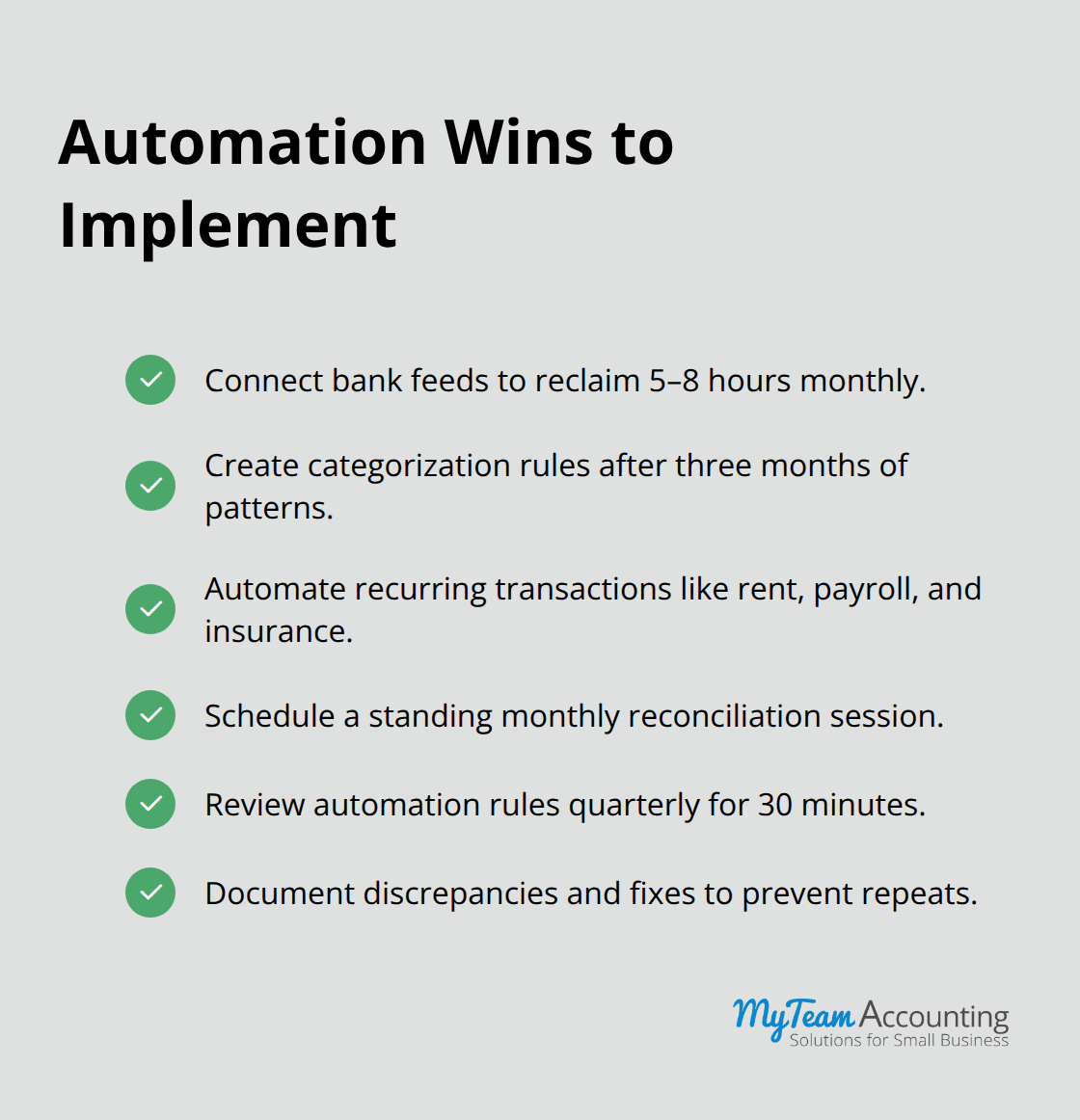
Bank feeds pull your transactions automatically from your financial institution, which means you never type a deposit or withdrawal again. Both platforms match incoming transactions to existing entries with surprising accuracy, though you must verify categorization during your monthly reconciliation. Set up your automation on day one. If your bank is not compatible with automatic feeds, switch banks or use a service like Plaid that bridges the gap. Most small business owners reclaim five to eight hours monthly just from bank feeds alone.
Automated Categorization Rules Handle Ninety Percent of the Work
Automated categorization rules take efficiency further. After three months of manual categorization, patterns emerge. QuickBooks and Xero learn that your monthly software subscription always goes to Software Expense, your client reimbursements always hit Reimbursable Expenses, and your fuel purchases always belong in Vehicle Expense. Tell your software to apply these rules automatically. You still review transactions during reconciliation, but the software handles the work. This reduces your monthly bookkeeping time by another two to four hours.
Recurring Transactions Deserve Automation
Recurring transactions represent pure waste when you handle them manually. If you pay rent on the 1st of every month, payroll every two weeks, or insurance quarterly, create templates in your accounting software and schedule them to post automatically. QuickBooks Online and Xero both allow you to set these up in minutes. The template captures the account, amount, description, and any tags you use for reporting. When the due date arrives, the transaction posts automatically and you verify it during reconciliation instead of recreating it from scratch. This approach also prevents missed payments because the software reminds you when a scheduled transaction is due.
Review Your Automation Quarterly
Accounting firms recommend spending one full day setting up your automation infrastructure and then spending thirty minutes quarterly reviewing whether new patterns have emerged that warrant additional rules or templates. This investment pays for itself within a month.
Final Thoughts
Clean financial records transform how you run your business. The three practices outlined in this guide-building a solid chart of accounts, reconciling monthly, and automating routine tasks-form the foundation of bookkeeping best practices that every small business owner should implement. Accurate financial data reveals which products or services generate the most profit, where you overspend, and whether you have enough cash to invest in growth.
Small business owners who establish these practices gain clarity that drives better decisions. You discover your true profitability, spot cash flow problems before they become crises, and provide your accountant with organized records that reduce tax preparation costs. The investment you make today in organizing your bookkeeping pays dividends for years as your financial system supports growth instead of hindering it.
Your next step depends on where you stand today. If you haven’t established a chart of accounts, start this week by mapping out your accounts and customizing an industry template. If your chart exists but reconciliation feels overwhelming, commit to one monthly session, or contact a professional bookkeeper who can help you implement bookkeeping best practices and establish the financial foundation your business deserves.