
QuickBooks Data Integrity Checks: Safeguarding Your Books
Your QuickBooks data is the foundation of every financial decision your business makes. Yet many small business owners overlook critical vulnerabilities that can lead to costly errors, missed compliance deadlines, and unreliable reports.
QuickBooks data integrity checks are your first line of defense against these problems. By implementing systematic validation routines, you can catch discrepancies early and maintain the accurate records your business depends on.
Why Data Integrity Matters
The Real Cost of Corrupted Data
Corrupted QuickBooks data costs money in ways most business owners don’t anticipate. A single misclassified transaction distorts your profit and loss statement by thousands of dollars. Duplicate entries in accounts payable inflate your liabilities and create phantom obligations to vendors. Invalid employee SSN entries corrupt payroll records, triggering compliance failures and audit complications. These aren’t theoretical problems-they’re expensive operational disasters that compound over time. The longer corrupted data sits in your system, the harder it becomes to trace the source and correct it without manually re-entering transactions. Data integrity checks must happen regularly, not as an afterthought when problems surface.
How Data Errors Undermine Financial Decisions
Financial decisions rest entirely on the accuracy of your QuickBooks data. When your general ledger contains errors, your cash flow forecasts become unreliable, your tax liability calculations shift unexpectedly, and your ability to evaluate business profitability disappears. Lenders and investors scrutinize your financial statements closely, and data integrity issues raise red flags that damage credibility. Compliance requirements demand accurate records for payroll tax filings, sales tax reporting, and audit readiness. A business that discovers data corruption three months before tax season faces rushed repairs, potential filing delays, and penalties from tax authorities.
Why Proactive Validation Saves Time and Money
Proactive data validation prevents these scenarios entirely. The cost of running systematic checks-perhaps thirty minutes monthly-is negligible compared to the cost of fixing widespread data corruption after the fact. Clean data enables faster month-end closes, more confident financial reporting, and the peace of mind that your numbers are trustworthy when you need them most. Your team can trust the reports they generate, lenders see stable financial health, and you make decisions based on facts rather than flawed information.
Understanding why data integrity matters sets the stage for the specific checks you need to implement. The next section walks you through the essential validation routines that protect your QuickBooks foundation.
Essential Data Integrity Checks
Reconcile Bank and Credit Card Accounts Monthly
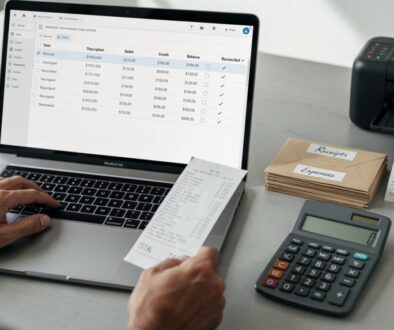
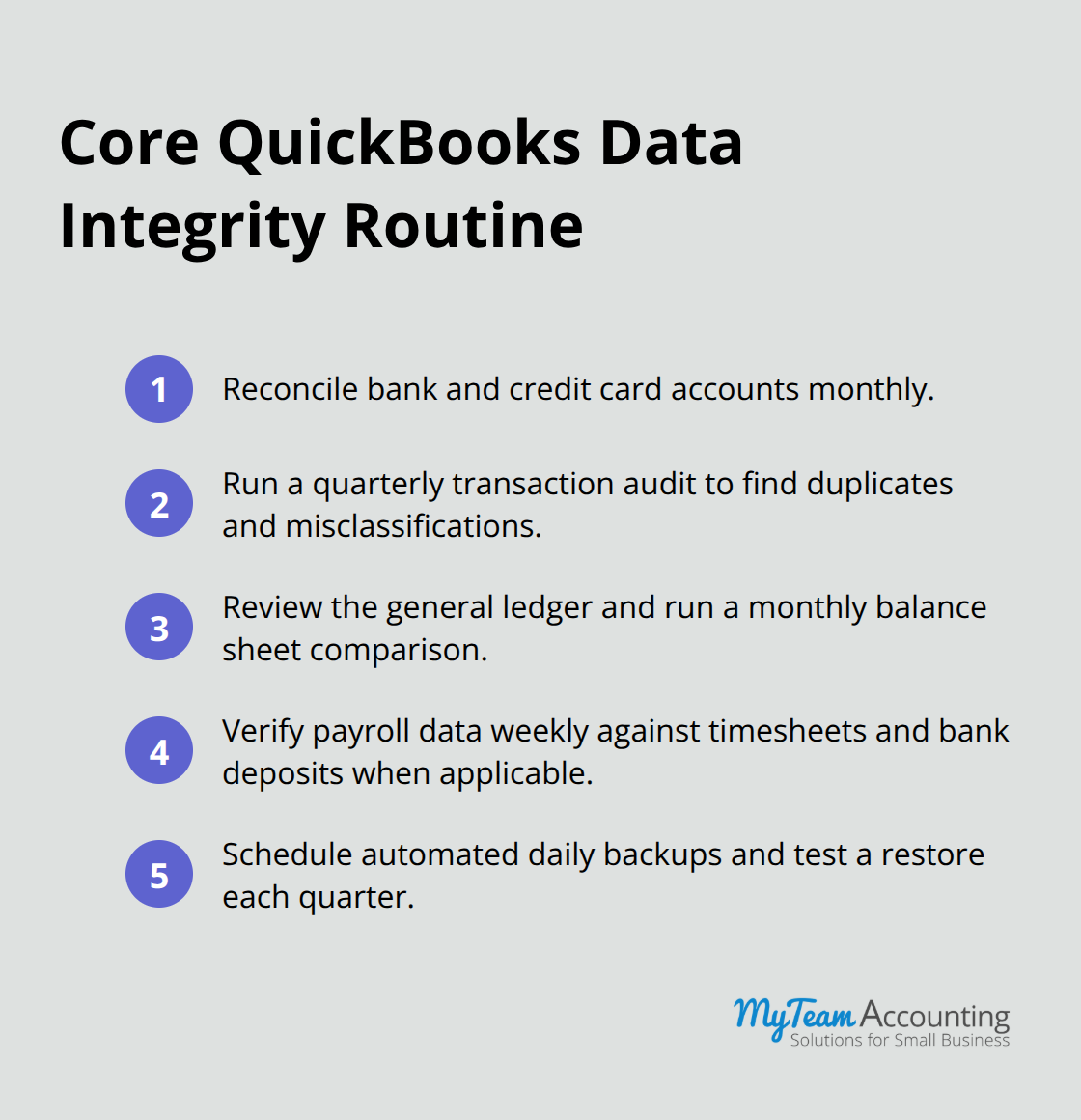
Start with bank and credit card reconciliation-this is where most data integrity problems reveal themselves. Reconcile your accounts monthly, not quarterly or annually. Each month, pull your bank statement and match every cleared transaction in QuickBooks to the actual bank record. If your QuickBooks balance doesn’t match the bank balance within a few dollars, stop and investigate immediately. Most discrepancies stem from timing differences on outstanding checks or deposits in transit, but some indicate duplicate entries, reversed transactions, or miscoded amounts that corrupt your financial picture.
A single unreconciled account creates a cascade of errors: your cash position appears inflated, your accounts receivable aging becomes unreliable, and your cash flow forecasts lose credibility. Spend thirty minutes monthly on this task rather than hours later trying to untangle months of mismatched records. If you process payroll through QuickBooks, reconciliation becomes even more critical because payroll transactions must tie perfectly to your bank activity.
Find and Fix Duplicates and Misclassifications
Transaction duplicates destroy data integrity silently. A vendor invoice entered twice inflates accounts payable by thousands of dollars. A customer payment recorded twice artificially reduces your receivables. These errors often hide in plain sight because they occur when someone imports a transaction from a bank feed and then manually enters it again, or when a system glitch duplicates an entry during a software update.
Run a transaction audit quarterly. Export your general ledger to a spreadsheet and sort by vendor name, customer name, and amount. Look for identical transactions on consecutive dates or within a few days of each other-these are your duplicates. Delete the duplicate immediately and verify that your account balances recalculate correctly. Misclassified entries demand equal attention. An expense coded to the wrong category distorts your profit and loss statement and throws your tax deductions into question. If you categorize a business meal as office supplies instead of meals and entertainment, you’ve created a compliance risk.
Pull your top fifty transactions by amount each month and verify the account coding matches the transaction type. A business meal should code to meals and entertainment, a software subscription to software and subscriptions, and a vendor payment to the correct payable account. This discipline takes fifteen minutes but prevents costly category errors that compound throughout the year.
Verify Account Balances and General Ledger Accuracy
Your general ledger is your source of truth, so verify account balances monthly against supporting documentation. Pull a general ledger report and spot-check ten random accounts-look at the balance, review a few transactions, and confirm the total makes sense. If your accounts receivable shows fifty thousand dollars but you only have three active customer invoices outstanding, something is wrong.
Verify that your chart of accounts contains no obsolete accounts cluttering your reports and that account numbering follows a logical system your team understands. Some businesses create hundreds of accounts over the years, making financial statements unreadable and data entry prone to error. Consolidate dormant accounts and maintain a lean chart of accounts that your team can navigate without confusion.
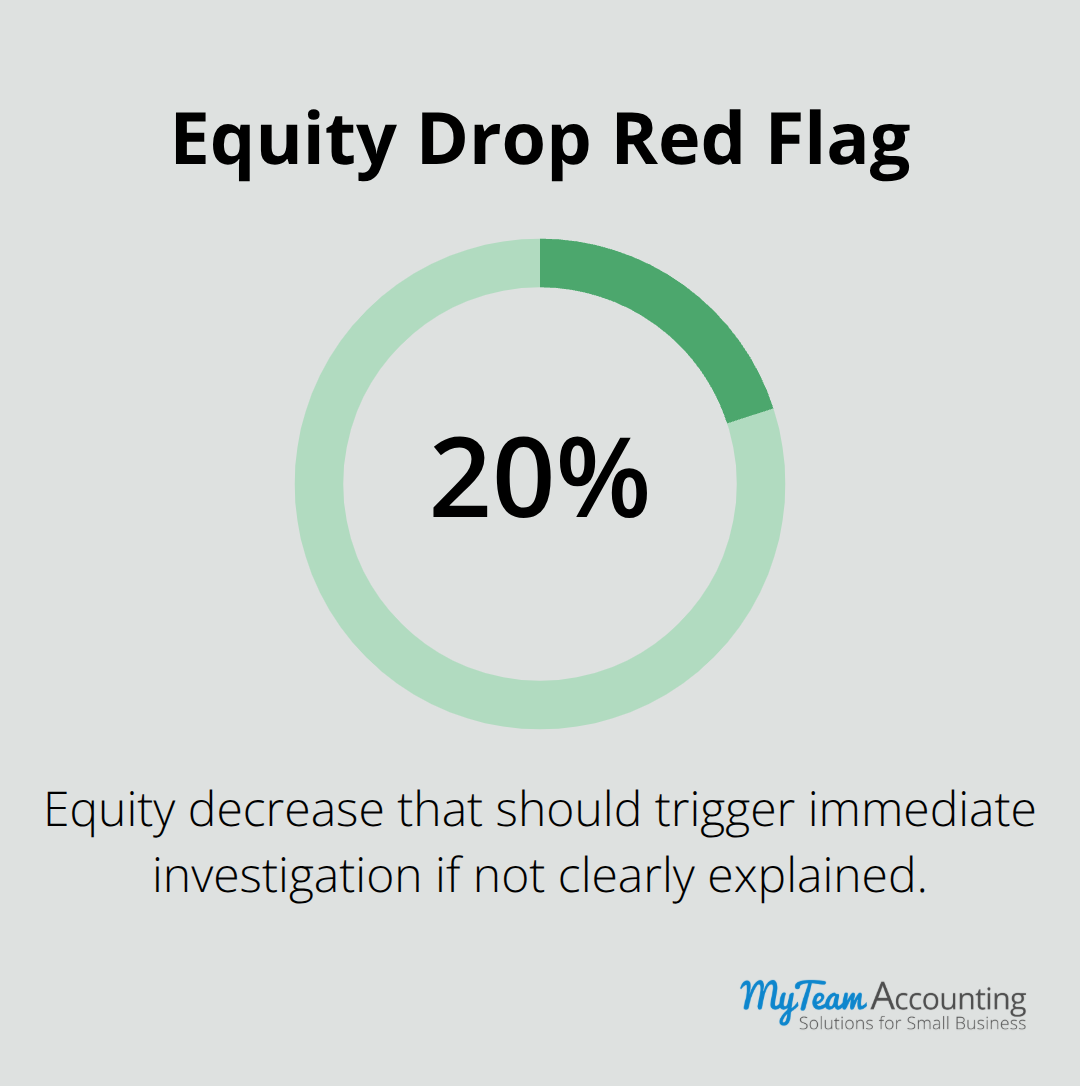
Run a balance sheet report monthly and compare it to the previous month. Assets, liabilities, and equity should move predictably based on your business activity. If equity suddenly drops by twenty percent without a corresponding explanation, investigate immediately.
Best Practices for Maintaining Clean QuickBooks Data
Establish a Lean, Logical Chart of Accounts
Your chart of accounts determines whether your team enters data consistently or creates chaos that corrupts your entire system. Most businesses inherit a disorganized chart of accounts from years of ad-hoc account creation, then wonder why their financial statements are incomprehensible and their team makes constant coding errors. Start with an audit of your current chart of accounts and eliminate every dormant account cluttering your system. If an account has zero activity for two years, delete it. If you have five different accounts for office supplies, meals, and miscellaneous expenses, consolidate them into one account per category with a clear naming convention.
Your chart of accounts structure should contain no more than one hundred active accounts for a small business-anything beyond that creates confusion and invites data entry mistakes. Assign each account a logical number that your team can remember: 1000–1999 for assets, 2000–2999 for liabilities, 3000–3999 for equity, 4000–4999 for revenue, and 5000–5999 for expenses. Document this structure in a one-page reference guide and require every team member to use it before entering a transaction. When new accounts are needed, add them to your chart of accounts only after written approval from your accounting manager or CFO-no exceptions. This single rule prevents the account proliferation that destroys data integrity.
Implement Automated Backups and Quarterly Verification
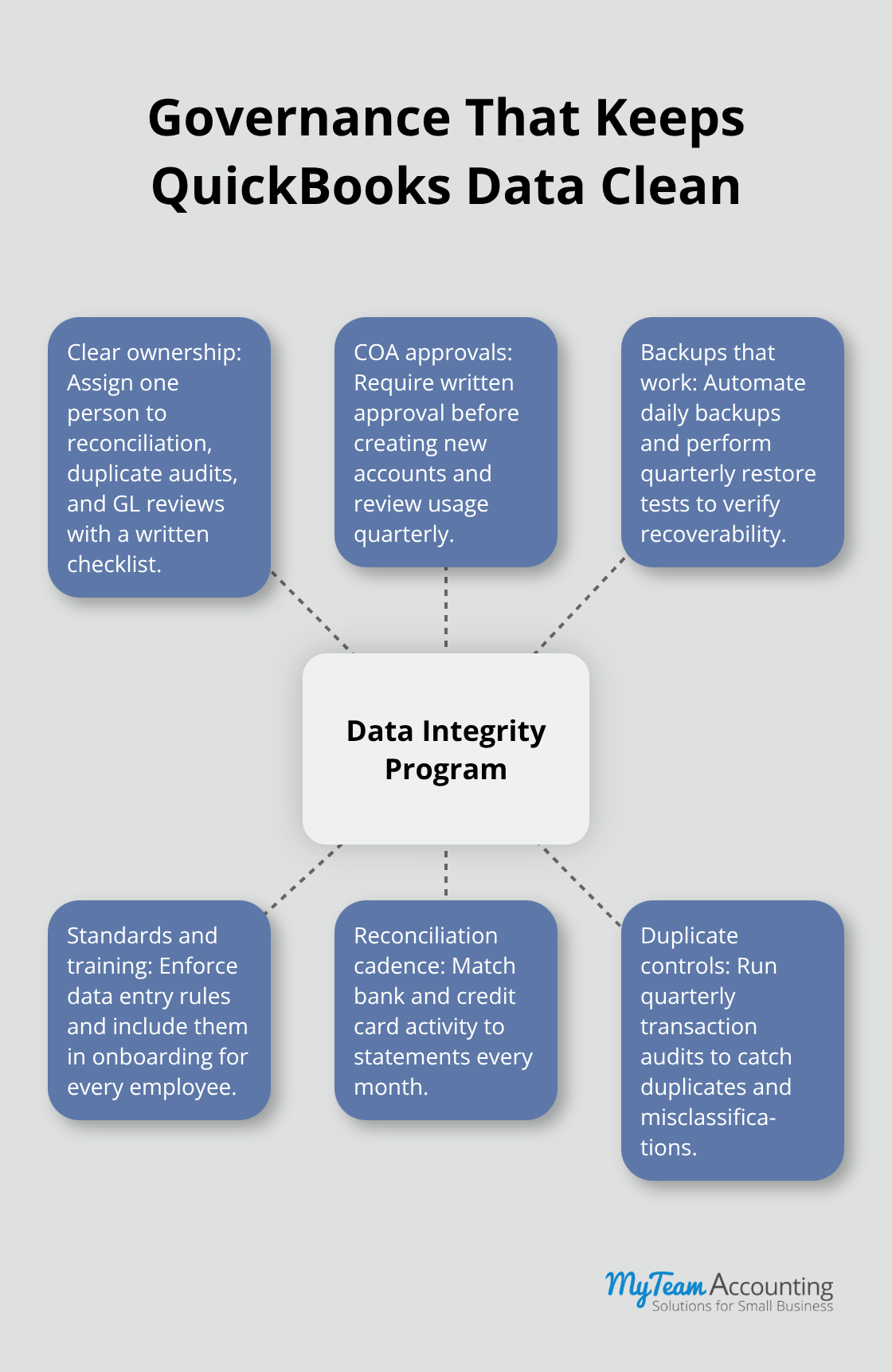
Backup discipline protects your data when system failures or corruption strikes. Schedule automated daily backups to cloud storage, not just your local server, and verify monthly that your backups actually restore without corruption. Test a restore once per quarter to confirm your backup process works when you need it most. This verification step separates businesses that have backups from businesses that have working backups-a critical distinction when disaster strikes.
Train Your Team on Data Entry Standards
Your team members must follow specific data entry protocols to maintain consistency. Dates must follow MM/DD/YYYY format, customer names must match your customer list exactly to avoid duplicates, and every transaction requires supporting documentation before entry. Document these standards in a written guide and review them during onboarding for every new employee. When team members understand why standards matter-not just what the standards are-they follow them more reliably and catch their own errors before they corrupt your system.
Assign Clear Ownership of Data Validation
Assign one person responsibility for monthly data validation tasks: reconciliation, duplicate audits, and general ledger reviews. Hold that person accountable with a written checklist and ensure they understand QuickBooks deeply enough to spot anomalies and investigate them without waiting for problems to surface during month-end close. If your business processes payroll, that person must verify payroll data weekly against timesheets and bank deposits to catch errors before they cascade into compliance failures.
Prevent Account Proliferation Through Approval Process
Most small businesses fail at data integrity not because QuickBooks is flawed, but because nobody owns the process and team members lack clear standards. Enforce your chart of accounts discipline consistently-require written approval before anyone creates a new account, and review account usage quarterly to identify and consolidate redundant accounts. This governance approach (combined with clear ownership and documented standards) transforms data integrity from an occasional concern into a systematic practice that protects your financial foundation.
Final Thoughts
Data integrity in QuickBooks demands ongoing attention, not a one-time effort that you complete and forget. Implement the QuickBooks data integrity checks outlined in this guide-monthly bank reconciliation, quarterly transaction audits, and regular general ledger verification-to catch errors before they spiral into costly problems. These routines protect your financial foundation and ensure your team makes decisions based on accurate information rather than corrupted data.
Assign one person clear ownership of your data validation process and equip them with a written checklist covering reconciliation, duplicate audits, and general ledger reviews. Document your chart of accounts standards and require approval before anyone creates new accounts (this single governance rule prevents the account proliferation that destroys data integrity). Train your team on proper data entry protocols and hold them accountable to those standards consistently, and your month-end close will shrink from days to hours while lenders and investors see stable, trustworthy financial statements.
Start this week by running your first comprehensive data validation across your accounts and resolve any discrepancies immediately. Then establish your monthly and quarterly validation schedule and commit to it without exception.