Xero Best Practices: Optimize Your Xero Workspace For Growth
Many small business owners struggle to keep their finances organized as they scale. Without a solid foundation in your accounting software, growth becomes harder to manage and costly mistakes pile up.
Xero best practices help you build that foundation. By implementing the right setup, automations, and reporting strategies, you’ll gain control over your finances and unlock insights that drive smarter decisions.
Build Your Chart of Accounts Around How Your Business Actually Works
Structure Accounts to Match Your Operations
Your chart of accounts forms the backbone of financial reporting in Xero. A poorly structured chart creates confusion, slows down month-end close, and makes it nearly impossible to see where money actually goes. Most small business owners import a generic template and never adjust it to match their operations, leaving accounts empty for months while transactions pile into catch-all categories that reveal nothing useful about profitability or cash flow.
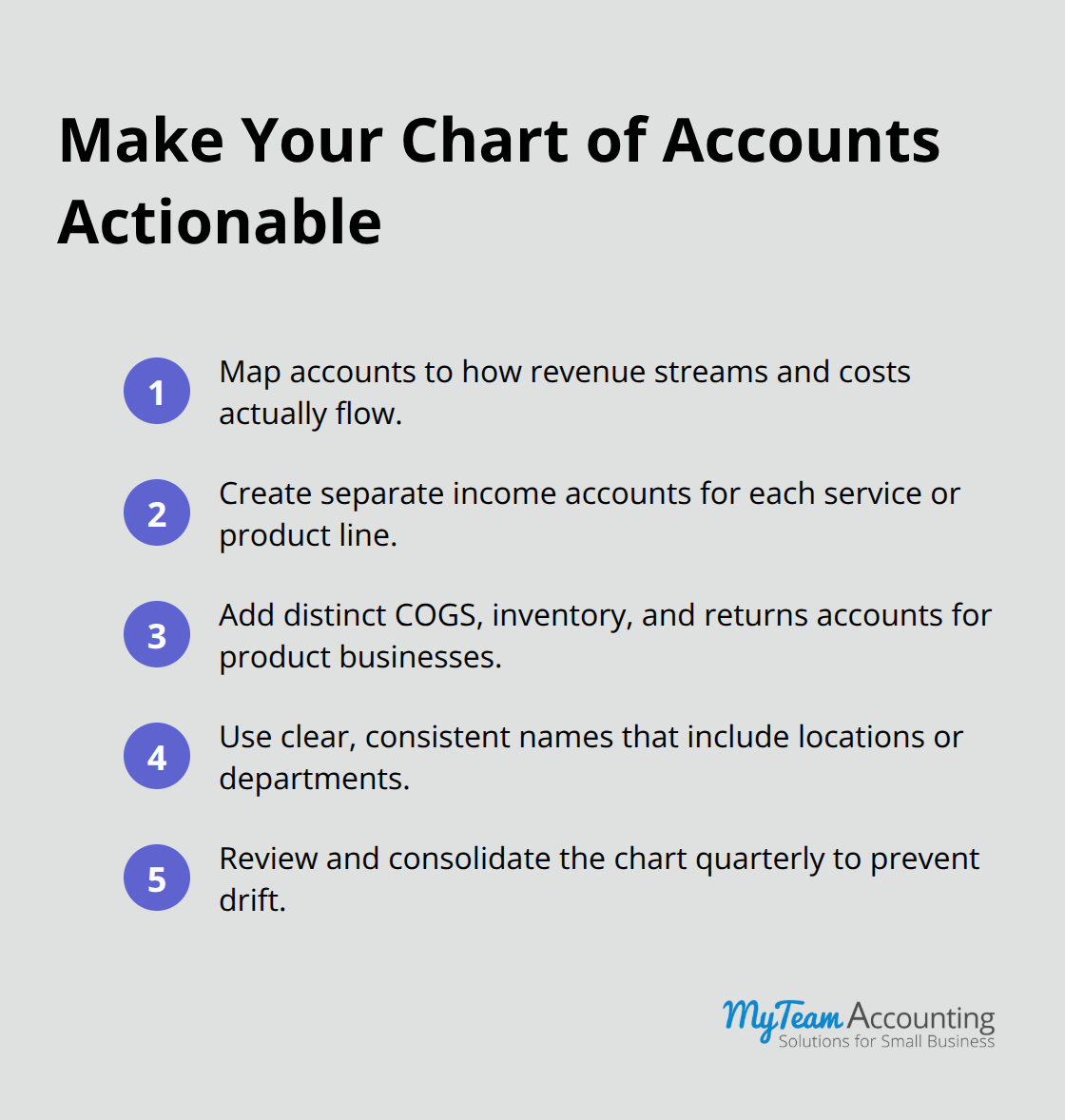
Map your chart of accounts structure for small business to the way your business functions instead. If you run a service business with multiple revenue streams-consulting, training, and done-for-you services-create separate income accounts for each so you can track which services actually drive profit. Retail or product businesses need distinct accounts for cost of goods sold, inventory adjustments, and returns rather than lumping everything together. The structure you choose now determines what insights you can extract later, so invest time in this foundation before you process hundreds of transactions.
Name Accounts for Clarity and Consistency
Account naming matters far more than most owners realize. Vague names like Miscellaneous Expense or Other Income create friction every time you or your bookkeeper categorizes a transaction. Use names that are specific and consistent instead. If you have multiple locations or departments, include that in the account name-Supplies Chicago or Labor Cost Production Team-so transactions sort themselves logically when you review reports.
Avoid abbreviations that only you understand; your accountant, bookkeeper, or future team member should instantly recognize what each account represents. Clear naming prevents confusion and speeds up the entire financial close process.
Review Your Chart Quarterly to Prevent Drift
A quarterly chart of accounts review prevents drift and catches problems early. Pull your account list every three months and ask yourself: which accounts had zero activity? Are there accounts doing similar work that should consolidate? Did you create workarounds because an account structure wasn’t working? Small businesses that review quarterly often cut their chart from 150 accounts down to 80 without losing visibility, which makes reporting cleaner and decisions faster.
This discipline also catches duplicate accounts created by different team members and ensures new accounts align with your existing structure rather than fragmenting it further. With a clean, intentional chart of accounts in place, you’re ready to automate the daily work that consumes so much time and attention.
Automate the Work That Steals Your Time
Most small business owners waste 5–10 hours per week on repetitive financial tasks that software can handle instantly. Invoice creation, payment follow-ups, transaction categorization, and data entry consume energy that should go toward selling, serving customers, or strategic planning. Xero’s automation features eliminate this friction, but many owners never activate them because they assume the setup is complex or because they don’t understand which automations deliver the biggest time savings. The truth is simpler: three core automations in Xero return more time than any other single investment you can make, and each takes under 30 minutes to configure correctly.
Set Up Recurring Invoices to Eliminate Manual Work
Invoice automation sounds straightforward but most businesses do it wrong. Rather than creating invoices manually each time, set up recurring invoice templates for clients with predictable billing cycles. If you invoice the same five clients monthly for retainers or subscriptions, Xero can generate and send those invoices automatically on a schedule you define. This alone saves 4–6 hours monthly depending on your client count. More importantly, it eliminates the human error of missing an invoice or sending it late, which directly impacts cash flow.
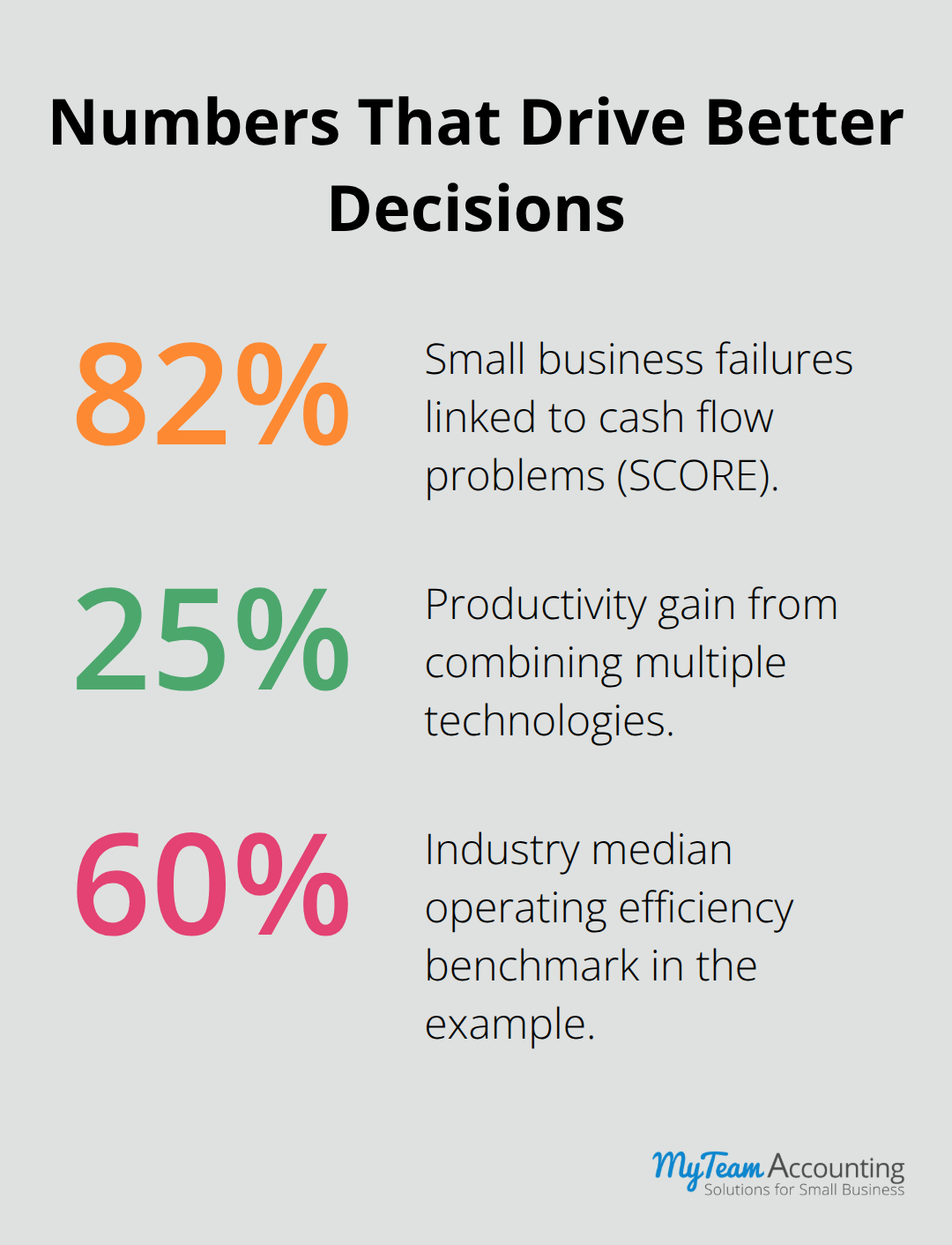
Pair this with payment reminders: configure Xero to send automated reminders when invoices reach 7, 14, and 21 days overdue. Research from SCORE shows that 82 percent of small businesses fail due to cash flow problems, and slow-paying customers are a primary culprit. Automated reminders reduce debtor days by forcing consistency into follow-up without requiring you to manually track who owes what. You set the messaging once, and Xero handles the rest while you focus on delivering the work itself.
Use Bank Rules to Categorize Transactions Automatically
Bank rules represent the second critical automation that most owners underutilize. When transactions flow into Xero from your bank account, each one requires categorization before your financial reports mean anything. Without rules, you manually assign categories to hundreds of transactions monthly, which is tedious and creates inconsistency.
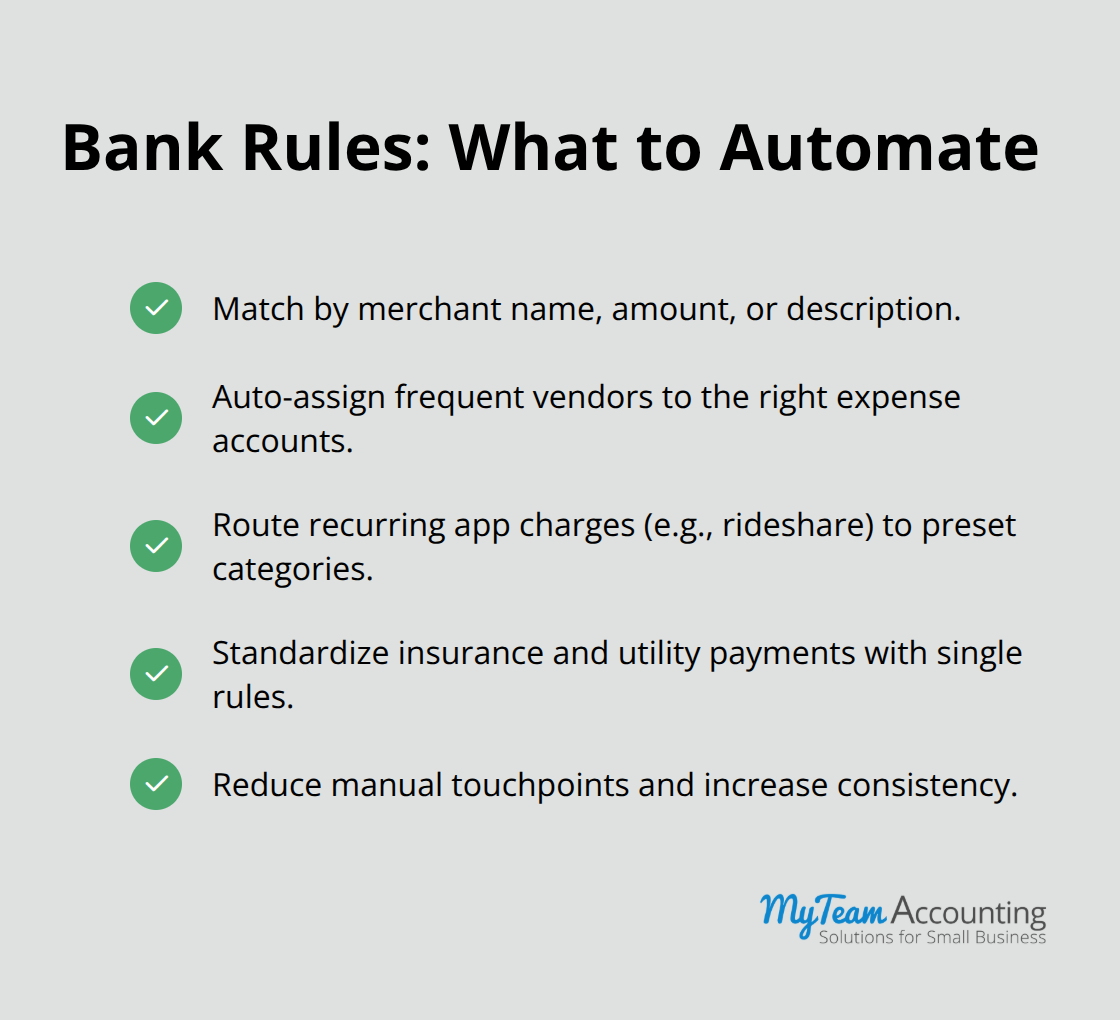
This automation is not optional for businesses processing more than 50 transactions per month; it saves 3–5 hours monthly and ensures every transaction lands in the right place the first time. Using multiple technologies together yields productivity gains around 25 percent, and combining bank rules with recurring invoices creates exactly that multiplier effect.
Process Batches of Transactions to Cut Weekly Work in Half
Xero allows you to select multiple transactions and perform the same action simultaneously, whether that’s adding a note, assigning a tracking category, or moving them to a different account. When you sit down to do your weekly financial review, batch processing cuts the time in half compared to adjusting transactions one at a time. Spend 90 minutes once per week processing a week’s worth of transactions in batches rather than spreading the work across days, and you’ll notice the difference in both time saved and mental clarity about your financial position.
These three automations work together to reclaim hours each week. Once you activate them, your financial data flows into Xero clean and organized, ready for the reporting and analysis that actually drives growth decisions. The next step is learning how to extract insights from that data so you can see exactly where your business stands and what needs to change.
Turn Your Financial Data Into Growth Decisions
Clean financial data in Xero means nothing without the ability to see what it tells you. Most small business owners set up their chart of accounts and automations, then ignore the reports entirely because they don’t know which ones matter or how to interpret them. The result is a perfectly organized system that nobody actually uses for decision-making. Xero’s reporting tools exist specifically to close this gap, but you need to know which reports answer which questions and how to extract actionable insights instead of just reading numbers. The cash flow dashboard shows you whether you’ll have money in the bank next month. Profit and loss reports reveal which services, products, or customer segments actually generate profit versus which ones you should reconsider. Custom reports let you measure performance against industry benchmarks so you know whether your growth strategies work or fall behind. These three reporting approaches work together to transform Xero from an accounting tool into a decision-making engine that guides your next move.
See Your Cash Position Before It Becomes a Crisis
Cash flow visibility separates businesses that survive downturns from ones that collapse despite profitability on paper. Xero’s real-time dashboard shows you exactly how much cash you have today and projects where it will be in 30, 60, and 90 days based on outstanding invoices and upcoming expenses. This matters because 82 percent of small business failures trace back to cash flow problems according to SCORE, not profitability.
Extract Profit Truth From Your P&L Report
Your profit and loss report tells you whether you made money, but most owners read it wrong. They see total revenue and total expenses, feel satisfied if the bottom line is positive, and move on. That’s a mistake. Segment your P&L by service line, product category, or customer type depending on your business structure. A consulting firm with three service offerings might discover that one service is highly profitable while another barely breaks even after accounting for delivery costs. A product business might learn that one SKU consumes 40 percent of fulfillment labor but generates only 15 percent of revenue. These insights force uncomfortable decisions, but they’re the decisions that separate growth from stagnation. Compare your operating efficiency against industry peers using Xero’s benchmarking data. Operating efficiency measures your cost-to-income ratio, showing how much of each revenue dollar gets consumed by expenses. If your industry median sits at 60 percent and you’re at 75 percent, you overspend somewhere relative to competitors. That gap represents your opportunity to improve margin without raising prices.
Build Reports That Answer Your Specific Questions
Standard reports work for tax compliance, but custom reports answer the questions that actually matter for growth. If you’re considering hiring a new team member, build a report showing revenue per employee for your industry using Xero’s benchmarking data so you can see whether adding headcount will improve or harm your margins. If you’re thinking about raising prices, create a report tracking invoice payment time and customer retention to understand whether price increases will drive customers away. Focus on three to five metrics maximum. Revenue per employee, gross margin percentage, cash conversion cycle, and operating expense ratio tell you more about business health than dozens of vanity metrics. Track these monthly and review trends over quarters rather than obsessing over daily fluctuations. Your accountant or bookkeeper can help you identify which metrics matter most and which reports deserve weekly attention, transforming raw data into the insights that actually move your business forward.
Final Thoughts
Xero best practices transform your accounting system from a compliance tool into a growth engine that drives smarter decisions. A well-structured chart of accounts, thoughtfully configured automations, and strategic reporting create the financial visibility you need to scale with confidence. These three elements work together to eliminate administrative friction and reveal the truth about where your money actually goes.
You’ll reclaim hours each week through automation, gain clarity on profitability and cash flow, and spot opportunities that competitors miss. Quarterly reviews of your chart of accounts catch drift before it becomes a problem, while weekly cash flow monitoring prevents surprises. Monthly metric reviews reveal trends that inform your next strategic move, and partnering with a bookkeeper or accountant who understands Xero deeply helps you refine your structure and interpret reports in ways that directly inform strategy.
Start with the practice that addresses your biggest pain point today, then expand systematically as you see results. Your Xero system is only as valuable as the insights you extract from it and the actions you take based on those insights. The investment in expert guidance pays for itself through better financial decisions and fewer costly errors.