
Smarter Accounting Workflows: Elevating Your Financial Operations
Most small business owners spend countless hours on manual accounting tasks that could be automated. This leaves less time for strategic decisions that actually grow your business.
Smarter accounting workflows transform how you manage finances by eliminating bottlenecks and reducing errors. When your team works with the right systems and processes, you gain real-time visibility into cash flow, payroll, and profitability.
Why Modern Workflows Transform Small Business Finances
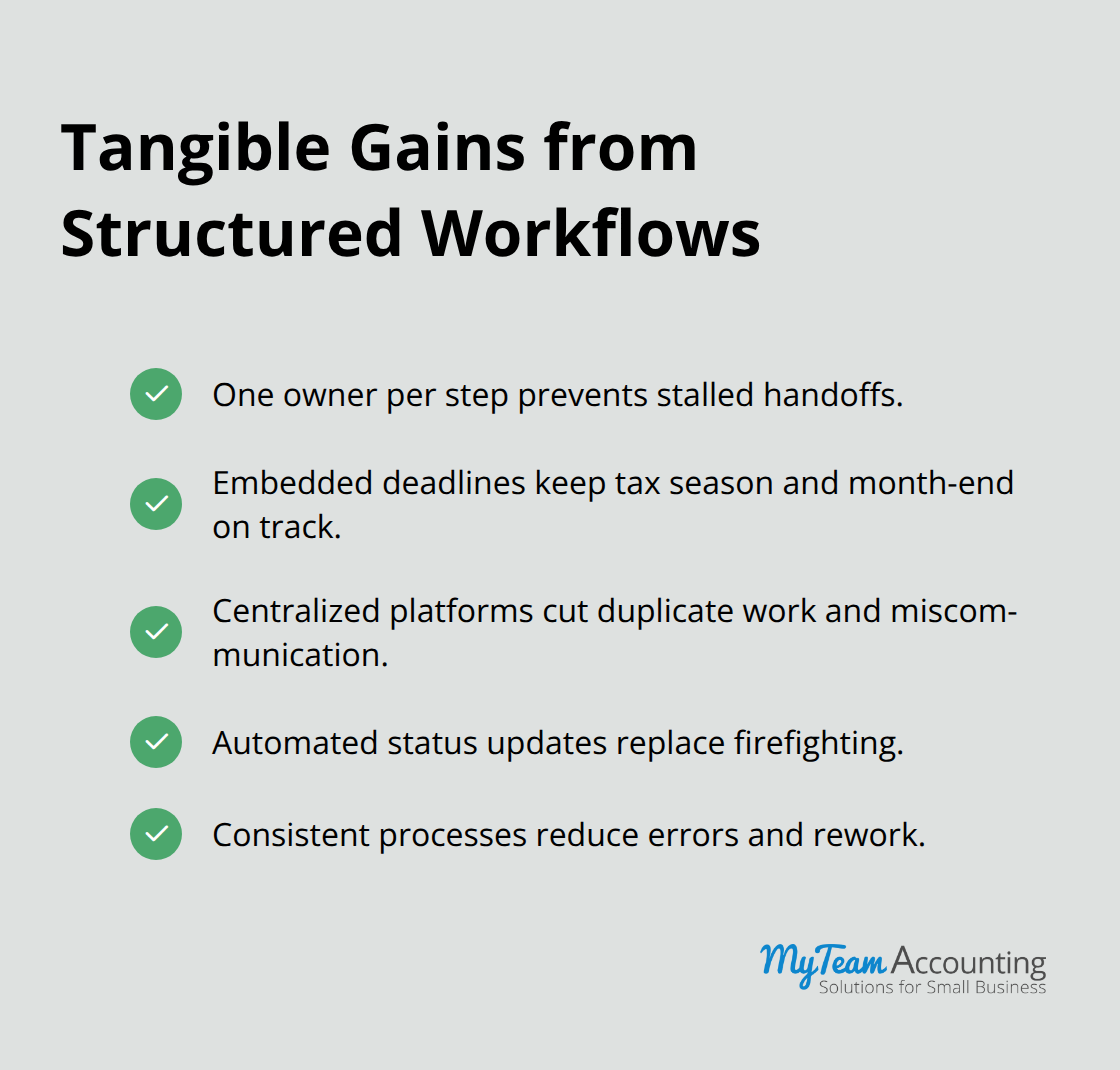
The difference between a firm that controls its finances and one that drowns in spreadsheets comes down to workflow design. Accounting firms that implement structured workflows see measurable improvements in both speed and accuracy. When task assignments, follow-ups, and status updates run on autopilot through the right system, your team stops firefighting and starts delivering results. A clear workflow means one person owns each step, deadlines are embedded, and nothing falls through cracks during tax season or month-end close. Firms using centralized workflow platforms report significant reductions in duplicate work, miscommunication, and the chaos that comes from juggling multiple tools.
How Workflows Solve Real Cash Flow Problems
Your small business clients face the same challenge at their level. If they reconcile bank feeds manually in Excel, approve invoices via email threads, or hunt for documents across shared drives, they bleed time and miss cash flow problems until it is too late. The real power of a smarter workflow is proactive cash flow forecasting. Instead of discovering a cash shortage in week three of a slow month, forecasting built into your system flags it in week one. Automation of routine tasks like bank reconciliation, invoice matching, and expense categorization frees your team to focus on what actually moves the needle-strategic tax planning, identifying cost-cutting opportunities, and advising clients on growth investments.
The Hidden Costs of Operating Without Structure
Most small business owners and their accounting teams operate without a formal workflow, which means the same tasks get done differently each time, quality varies, and bottlenecks emerge at predictable moments. If your monthly close takes three weeks because reconciliation, AR review, adjusting entries, and approvals happen ad hoc instead of in sequence, you operate at half capacity. Structured workflows with defined roles and timelines cut this time dramatically. The second hidden cost is staff burnout. When your team does not know which tasks are assigned to whom or what the deadline is, they work reactively and overtime becomes routine. Scalable workflows reduce staff burnout while enabling growth because they distribute work predictably and prevent one person from becoming the bottleneck.
Building Client Loyalty Through Consistency
Clients stay loyal when they see results on time and with accuracy. A workflow that sequences steps correctly-reconciliation before adjusting entries, final approvals before delivery-ensures accuracy and reduces rework. Real-time visibility into progress means you send proactive status updates instead of waiting for clients to ask where their financials are. Accounting firms that embed workflows into their service delivery also build stronger client relationships because clients experience consistent, predictable communication and faster turnarounds. This consistency and speed build trust faster than any sales pitch. The firms winning market share are the ones who deliver reliable, predictable service backed by clear processes and the right technology. Your next step is to audit what you currently do and identify where your team loses the most time.
The Technology Foundation That Powers Efficient Accounting
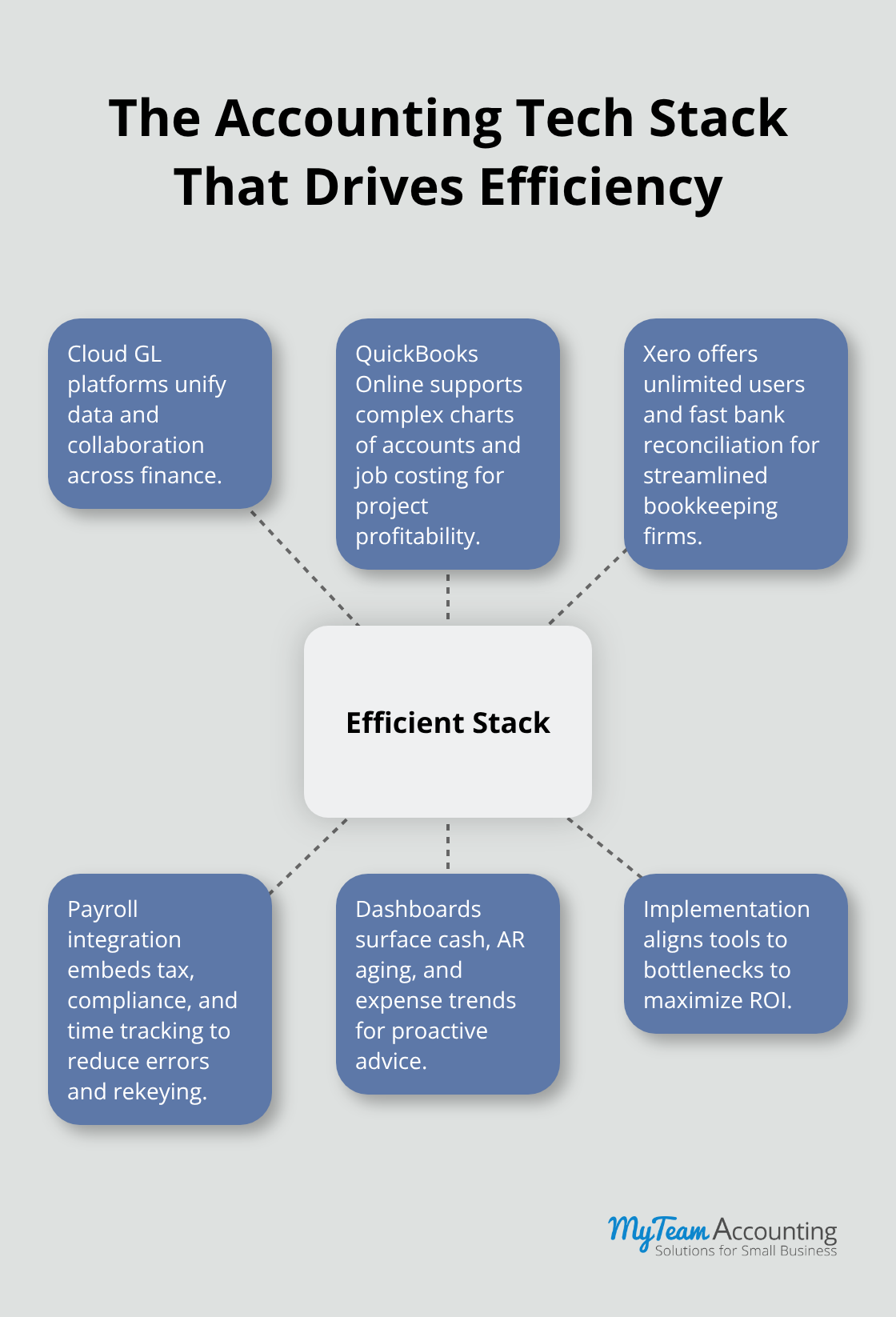
Your accounting workflow depends on systems that eliminate data silos, enable real-time collaboration, and integrate with payroll, banking, and forecasting tools. Cloud-based platforms like QuickBooks Online and Xero form this foundation because they connect your entire financial operation in one place.
Choosing Between QuickBooks Online and Xero
QuickBooks Online and Xero serve different firm strategies, and the choice shapes how you advise clients. QuickBooks Online scales better for complex chart-of-accounts structures and advanced job costing, making it the stronger choice if your clients manage multiple projects or cost centers and need detailed profitability tracking by job. Xero wins on user experience and cost-efficiency, with unlimited users across all plans and automatic bank reconciliation that works faster than QuickBooks Online for straightforward bookkeeping shops. The critical insight is this: QuickBooks Online supports strategic conversations because its reporting depth reveals profitability by job and cost center, while Xero suits firms focused on compliance and timely close cycles where simplicity accelerates delivery. Many practices use both platforms depending on client complexity, and both offer free trials to test before committing.
Payroll Integration Transforms Workflow Efficiency
Integrated payroll eliminates manual calculations that drain hours and create compliance risk during busy seasons. Solutions like ADP embed tax withholding, compliance filing, and time-and-attendance tracking directly into payroll processing, reducing the back-and-forth between payroll and accounting systems. When payroll integrates with your accounting platform, you eliminate manual journal entries, reduce payroll errors significantly, and free your team to focus on advisory work instead of data entry. This integration matters most during peak tax season when payroll mistakes compound quickly and distract your team from client deliverables.
Real-Time Dashboards Drive Client Decisions
Real-time dashboards drive client decisions by converting raw data into actionable insights. A dashboard showing cash flow by week, accounts receivable aging, and expense trends by category allows you to spot problems before they become crises and advise clients on cost cuts or timing adjustments with confidence. The firms winning client retention deliver dashboards alongside financial statements, not instead of them, because dashboards answer the why behind the numbers and support strategic planning conversations. This visibility transforms your role from bookkeeper to trusted advisor.
Moving From Systems to Strategic Implementation
The right technology stack removes friction from your workflows, but implementation determines whether you realize these benefits. Your next step requires auditing what you currently do and identifying where your team loses the most time-this assessment reveals which tools will deliver the highest return on your investment.
Implementing Workflow Improvements in Your Organization
Audit Your Current Processes and Identify Bottlenecks
Start your workflow transformation with one week of precise time tracking. Document exactly how your team allocates hours across accounting tasks, where decisions stall waiting for information, and which processes repeat across multiple clients with minor variations. Most firms discover that month-end close consumes 40 to 50 percent longer than necessary because reconciliation, AR aging review, and adjusting entries occur out of sequence instead of in parallel. The second pattern emerges consistently: one or two people become bottlenecks because critical knowledge exists only in their heads. Once you identify these time drains, prioritize fixing the top three bottlenecks first rather than overhauling everything at once.
Phased implementation works because your team sees immediate wins that build momentum. Attempting to transform your entire workflow overnight creates chaos and staff resistance. If your current close cycle takes 15 business days, compress it to 8 days within 90 days through improved sequencing, automated bank reconciliation, and clear ownership of each step. That compression frees 35 hours per month per team member for advisory work or client onboarding.
Choose Technology That Fits Your Business Needs
Evaluate technology based on what your assessment revealed, not on feature lists or vendor marketing. If your bottleneck involves manual invoice matching and AR follow-up, QuickBooks Online’s integration with invoice automation tools matters more than advanced job costing features. If your clients operate simple service businesses and your team spends hours on reconciliation, Xero’s automatic bank feed matching and streamlined interface will compress your close cycle faster than QuickBooks Online’s additional complexity.
The critical move is to avoid switching platforms every 18 months because you chased features. Instead, commit to a platform for two years minimum and optimize your workflows within it. Once you select your system, establish who owns each step of your core processes-monthly close, client onboarding, payroll processing, cash flow forecasting-and embed deadlines directly into your accounting software or project management tool. This ownership eliminates the chaos where tasks slip because no one knows they are responsible.
Train Your Team and Establish New Procedures
Train your team on the new workflow and system simultaneously, not sequentially. Run the new process in parallel with your old one for one full cycle before going live. This parallel run exposes gaps, builds confidence, and gives your team time to adapt without the pressure of delivering client work on the old timeline. Firms that skip this step experience a 20 to 30 percent productivity dip for two months; firms that run parallel cycles absorb new workflows with minimal disruption and often see productivity gains in week three.
Final Thoughts
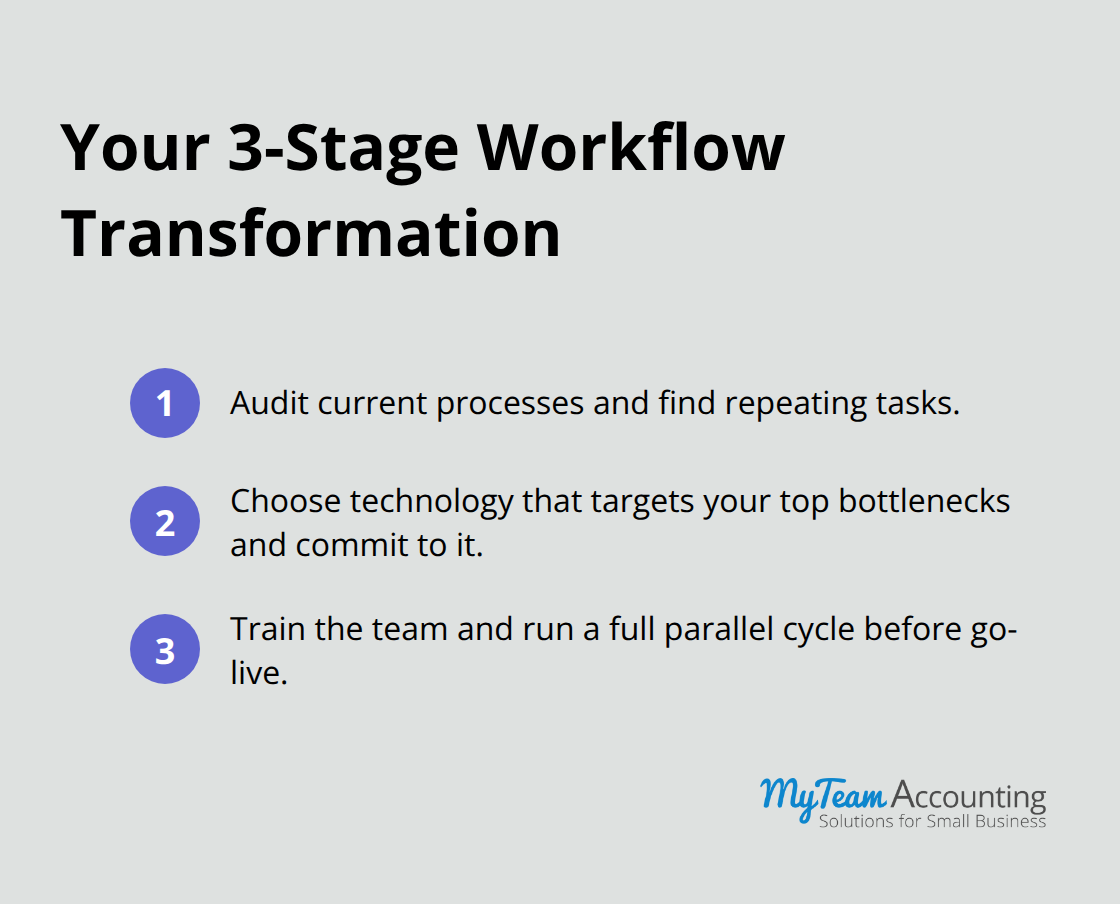
Smarter accounting workflows deliver measurable results: faster close cycles, fewer errors, and your team focused on advisory work instead of manual data entry. Implement three concrete steps to transform your operation. First, audit your current processes to identify where time disappears and which tasks repeat across clients. Second, select technology that solves your specific bottlenecks rather than chasing feature lists, then commit to that platform for at least two years while optimizing within it. Third, train your team on the new workflow and system together, running both in parallel for one full cycle before going live to minimize disruption and build confidence.
Outsourced CFO services provide the strategic oversight that keeps your workflows aligned with your firm’s growth goals and your clients’ evolving needs. An outsourced CFO reviews your process metrics monthly, identifies emerging bottlenecks before they slow delivery, and advises on technology upgrades or staffing adjustments that support scalability. They bring external perspective on industry benchmarks, helping you understand whether your close cycle or onboarding timeline is competitive.
Schedule one week of time tracking across your team and document where hours go to identify your top three bottlenecks. Evaluate QuickBooks Online or Xero based on what your assessment revealed, not on vendor claims, then set a go-live date 90 days out. The firms transforming their financial operations are not waiting for perfect conditions-they audit, decide, and implement accounting workflows now to deliver faster, more accurate financial insights that help clients make better decisions.