
Bookkeeping Best Practices 2026: Upgrading Your Financial Hygiene
Your financial records are the backbone of smart business decisions, yet many small business owners still rely on outdated spreadsheets and manual processes. Modern bookkeeping best practices in 2026 focus on automation, accessibility, and accuracy-transforming how you manage cash flow and compliance.
This guide walks you through three essential upgrades: building a solid chart of accounts, automating your reconciliation workflow, and moving to cloud-based systems. Implementing these practices will give you real-time visibility into your finances and free up hours each month.
Your Chart of Accounts: The First Real Decision
Your chart of accounts is not a bureaucratic requirement-it is the structural decision that determines whether your financial data reveals profitable trends or obscures them. Most small business owners inherit a generic template from their accounting software and never revisit it, which means they cannot easily answer critical questions like which product line is actually profitable or where spending spirals out of control.
Organize Accounts by Category and Type
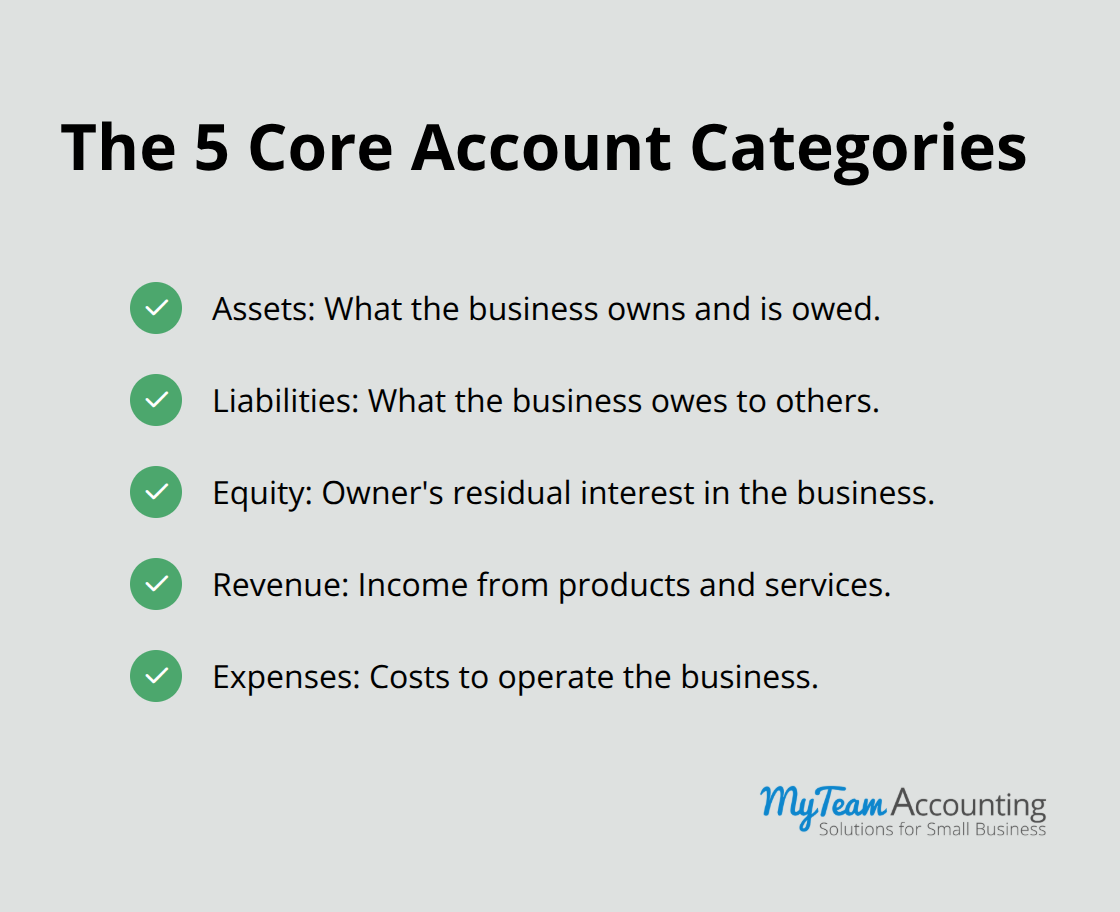
The chart of accounts organizes every transaction into five categories: assets, liabilities, equity, revenue, and expenses. Within expenses alone, you need enough detail to spot inefficiencies but not so much that data entry becomes unbearable. A service business might track marketing, software subscriptions, contractor fees, and office overhead as separate expense accounts. A product business needs inventory accounts, cost of goods sold, and potentially job costing accounts if you serve multiple clients.
The mistake most owners make is treating the chart of accounts as static. Your business model evolves-you add a new service line, shift to remote work, or launch a subscription offering-yet your accounts stay frozen in 2019. Updating your chart quarterly takes 30 minutes and prevents months of messy reclassifications later. Start by auditing your current accounts: delete anything unused in the past 12 months, merge accounts that blur important distinctions, and add accounts that reflect how you actually spend money and earn revenue today. If you cannot quickly name three expenses you track under a single account, that account does too much work and needs to split.
Align Chart of Accounts with Your Business Model
Aligning your chart of accounts to your business model means thinking operationally, not theoretically. If you manage multiple projects or clients, implement a project tracking structure within your accounts so you can run profitability reports by engagement. If you operate across states, separate expenses by location to catch regional cost creep. If you have seasonal revenue swings, track revenue by month or quarter so forecasting becomes data-driven rather than guesswork.
Many accounting software platforms, including QuickBooks Online and Xero, allow you to add custom fields or tracking categories that layer detail onto transactions without cluttering your core chart. Use these features ruthlessly. A contractor tracking five concurrent projects should assign each transaction to the relevant project code, making it trivial to answer whether Project A is profitable or Project B is draining margins.
Maintain Discipline Through Regular Updates
The discipline of maintaining this structure weekly-not monthly or quarterly-prevents the chaos that forces a costly cleanup later. Cloud-based accounting systems make this easier because transactions sync automatically from your bank and credit cards, so your only job is reviewing the categorization and assigning the project code. Spend 10 minutes daily on this task and you avoid spending 10 hours at month-end trying to untangle a mess.
Once your chart is clean and aligned to your operations, financial statements become trustworthy. Your income statement shows real profit by service line or location. Your balance sheet reflects actual asset and liability positions. These statements then drive real decisions: which expenses to cut, which services to raise prices on, and where to invest next. With a solid foundation in place, you can now turn your attention to the second critical upgrade-automating the reconciliation and categorization processes that consume so much manual time each month.
Automate Reconciliation and Transaction Categorization
Implement Bank Feeds and Rule-Based Categorization
Your bank feeds sync automatically now, which means you have real-time visibility into every transaction the moment it hits your account. The trap most owners fall into is treating this automation as complete when it is only half the job. Raw transaction data without proper categorization is just noise. The second half of the upgrade-automating reconciliation and transaction categorization-is where you reclaim the 8 to 10 hours per month that vanish into manual data entry.
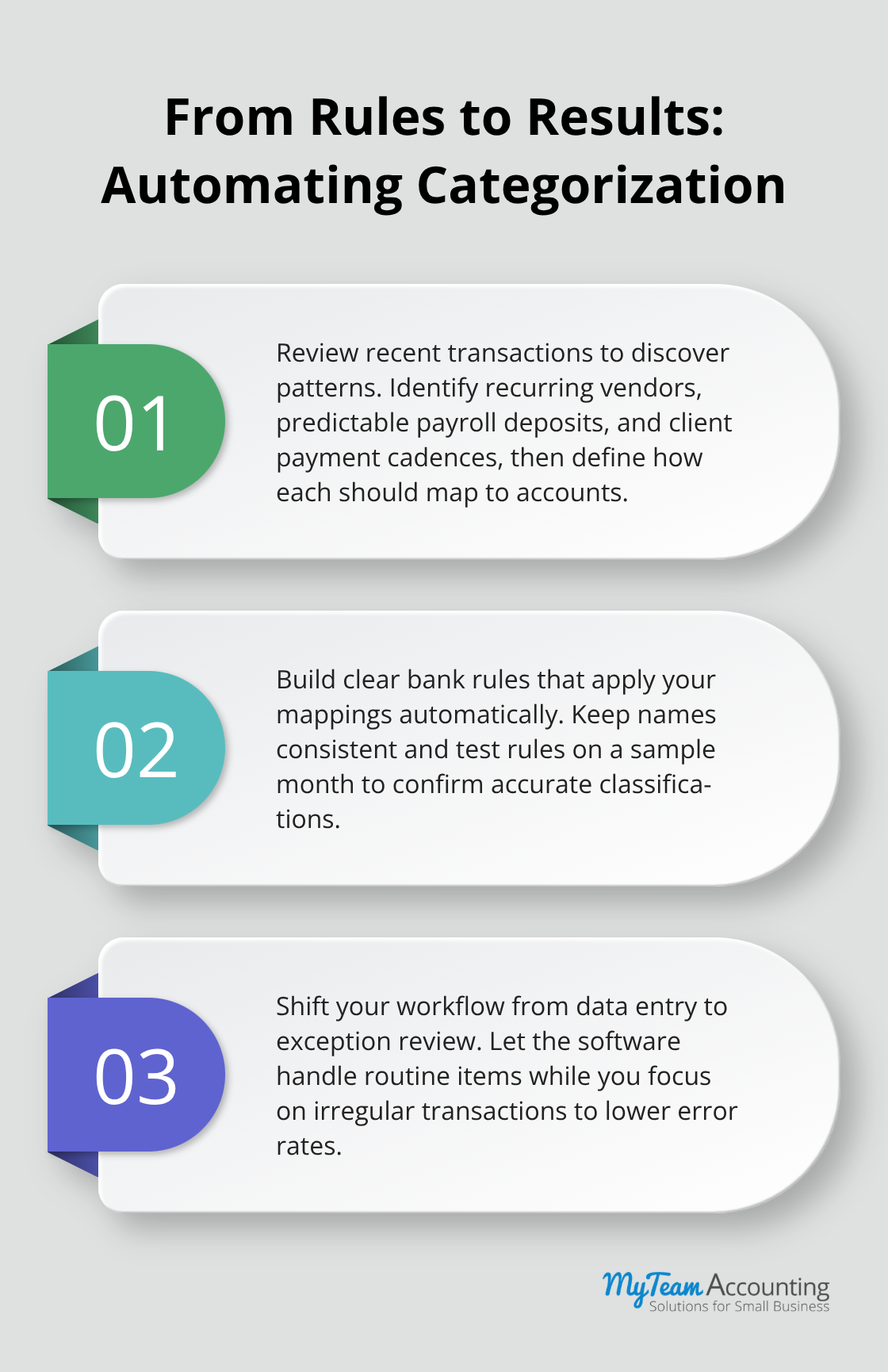
Modern accounting software handles this through rule-based categorization that learns your patterns and applies them consistently. QuickBooks Online and Xero both offer this capability, though the setup requires discipline upfront. Start by reviewing your last three months of bank transactions and identify the patterns: recurring vendors that always map to the same expense account, payroll deposits that always hit the same day, client payments that follow a predictable schedule. Create rules for each pattern so the software categorizes these transactions automatically on arrival. A rule might say any transaction from your internet provider goes to utilities, or any payment to your bookkeeper goes to professional services.
Once you set these rules, the software handles the majority of your monthly transactions automatically, leaving you to handle only the irregular or ambiguous entries. This distinction matters because it shifts your mental load from data entry to judgment. You no longer type account numbers into a spreadsheet; instead, you review a pre-categorized list and catch the few items that need adjustment. Most small business owners underestimate how much this shift improves accuracy.
Schedule Monthly Reconciliation Checkpoints
The second critical piece is scheduling monthly reconciliation as a fixed appointment, not a task that happens whenever you find time. Set the third business day of each month as your reconciliation day and block two hours. Open your accounting software, pull up the bank reconciliation module, and compare your recorded balance to your actual bank statement. This monthly checkpoint catches errors early-a missing deposit, a duplicate charge, or a data sync failure that would otherwise compound into a much larger problem by year-end.
The reconciliation process in both QuickBooks Online and Xero is straightforward: the software shows you which transactions on your bank statement have been matched to entries in your accounting system and which remain unmatched. Work through the unmatched items systematically. If a check you wrote hasn’t cleared yet, mark it as outstanding. If a deposit appears in your bank account but not in your software, add it immediately. If a transaction appears in both places but the amounts do not match, investigate the discrepancy before moving forward. Most discrepancies stem from transposed numbers, fees you did not anticipate, or deposits that arrived in two separate batches. Once every transaction is accounted for, your reconciled balance should match your bank statement exactly. This monthly discipline prevents the nightmare of discovering in March that your books have been off since October.
Refine Rules Quarterly as Your Business Evolves
Beyond the monthly checkpoint, quarterly reviews of your categorization rules are essential. Spend 30 minutes reviewing which rules triggered most often and whether any new transaction patterns have emerged that need new rules. If you launched a new marketing channel or hired a contractor in a new category, add rules to handle future transactions from those sources automatically. This iterative approach keeps your automation working harder as your business evolves, ensuring that the time you save in month one does not gradually erode as your operations become more complex.
With reconciliation and categorization running on autopilot, you now have clean, current financial data flowing into your system every single day. The final upgrade-moving to a cloud-based platform that centralizes this data and enables real-time access across your team-transforms that data into a competitive advantage.
Moving to Cloud Accounting Without the Chaos
Your clean chart of accounts and automated reconciliation only work if your team can access the data when they need it. Spreadsheets lock information into a single file on a single computer, forcing you to email versions back and forth and risk someone overwriting another person’s work. Cloud-based accounting platforms like QuickBooks Online and Xero solve this by centralizing your financial data in a system where multiple team members work simultaneously, permissions stay locked down, and every change creates an audit trail that regulators and auditors can review. The migration itself, however, demands more planning than most owners expect. A rushed cutover creates months of reconciliation headaches, so the practical approach treats this as a structured project with clear phases rather than flipping a switch and hoping for the best.
Map Your Data Before You Migrate
Start the migration by mapping your current data architecture before you touch your new platform. Export your last two years of transactions from your existing system and identify which accounts have balances that need to carry forward, which transactions must be reclassified to align with your updated chart of accounts, and which historical data you can archive rather than import. This audit typically takes 8 to 12 hours for a small business and reveals data quality issues that migration would otherwise amplify. Once you complete this mapping, set up your new platform with your updated chart of accounts, configure bank feeds and credit card connections, and run a parallel month where both systems operate simultaneously.
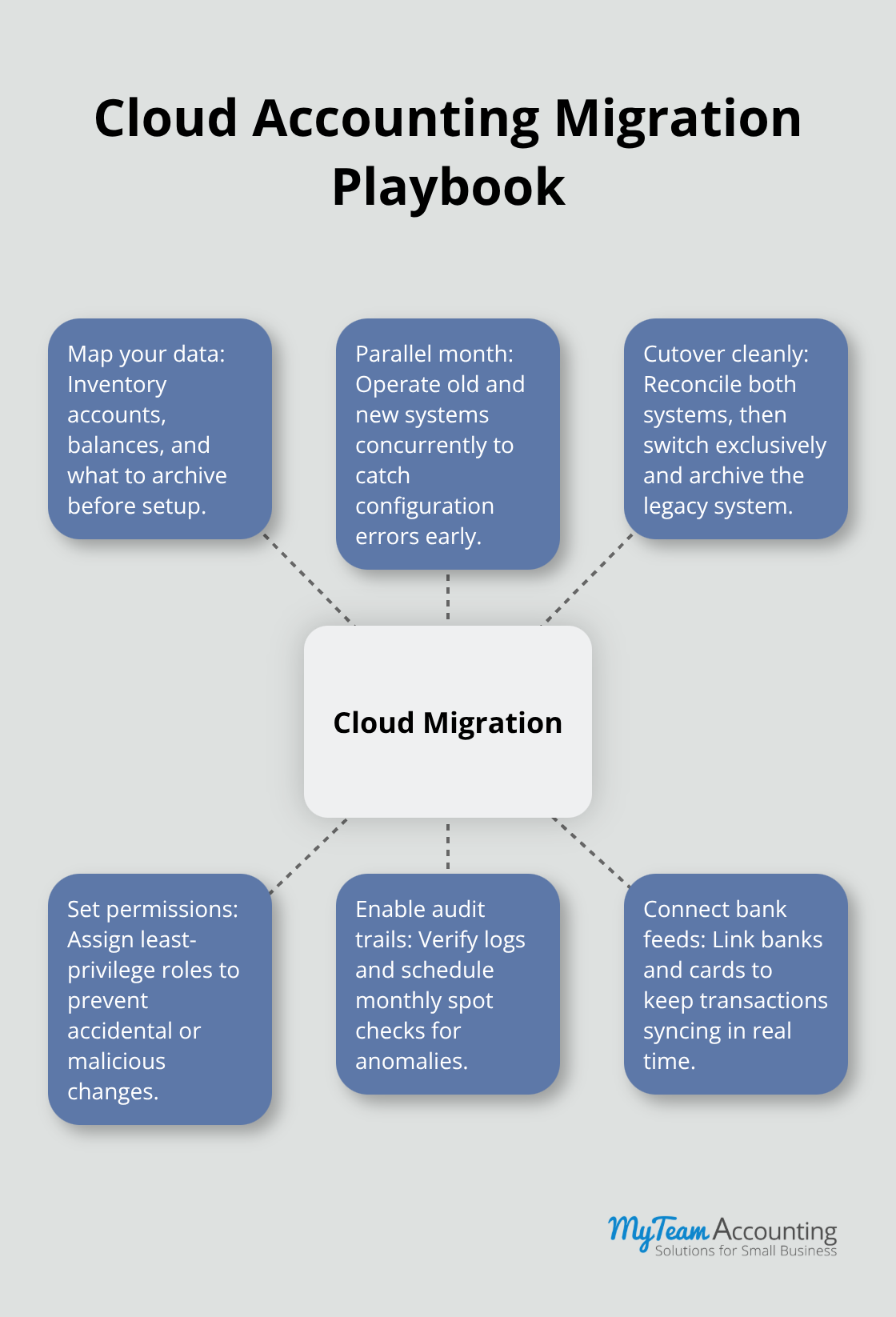
Most small business owners skip this step to save time and regret it within weeks when they discover that a critical account category was misconfigured or that opening balances do not match. The parallel month adds two to three weeks to your timeline but eliminates the risk of starting your new system with corrupt data. Once the parallel month closes and both systems reconcile perfectly, you cut over to the cloud platform exclusively and archive the old system. This deliberate approach transforms what feels like a risky technology project into a manageable operational transition.
Permission Controls Prevent Costly Mistakes
Once your data lives in the cloud platform, the second critical decision involves how you distribute access across your team. QuickBooks Online and Xero both offer granular permission controls that let you assign different roles to different users. Your bookkeeper needs full access to transactions and reconciliation, but your operations manager might only need to view reports. Your accountant needs to modify account structures, but your office manager should only enter invoices. The mistake most owners make involves giving everyone admin access for simplicity, which creates two serious problems. First, someone inevitably makes an error that cascades through months of data, and you cannot easily undo it because no record exists of who changed what or when. Second, if an employee leaves on bad terms or if your system gets compromised, you have no way to limit the damage because everyone has full control.
Set up your permission structure the day you migrate. Assign the bookkeeper or accounting manager as the primary administrator who manages user access and controls sensitive settings. Give your tax accountant reviewer access so they can examine data but cannot modify it. Give employees who enter invoices or expenses access limited to those specific transaction types. This structure takes 30 minutes to configure and saves weeks of frustration when someone accidentally deletes a transaction or changes a critical account balance. Xero tends to offer more granular controls than QuickBooks Online, particularly for limiting access to specific modules, so if your team structure is complex, test Xero’s permission features during your trial before you decide.
Audit Trails Turn Data into Evidence
The final element that separates cloud platforms from legacy systems is the audit trail. Every transaction, every modification, and every permission change gets logged with a timestamp and the user who made it. This creates a complete record of who accessed what data and when, which matters for three reasons. First, it catches errors quickly. If an account balance suddenly shifts by $5,000, you can see exactly which user made which entry and when, then follow up in minutes rather than spending hours guessing what happened. Second, it protects you during tax audits. The IRS increasingly expects to see evidence that your records are accurate and that you have controls in place to prevent fraud. An audit trail demonstrates exactly that. Third, it deters internal theft or fraud because anyone considering unauthorized access knows their actions will be recorded and traceable.
Most small business owners never check audit trails until something goes wrong, but the discipline of spot-checking them monthly takes 15 minutes and often catches suspicious activity before it becomes a problem. QuickBooks Online logs changes in the Audit Trail report, accessible from the Tools menu. Xero provides similar functionality through the History feature on individual transactions and the Audit Report for broader activity. Neither system makes audit trails obvious in the day-to-day workflow, so you need to actively decide to review them. Set a monthly reminder to pull the audit trail for the previous month and scan for unusual activity: changes to account balances outside of normal transaction posting, access from unusual times or locations, or permission changes that you did not authorize. This monthly discipline costs almost nothing and catches problems that would otherwise remain hidden until they cause serious damage. With a cloud platform in place, a clean chart of accounts, and automated reconciliation running smoothly, your financial data becomes current, accessible, and trustworthy.
Final Thoughts
The three upgrades outlined in this guide-building a structured chart of accounts, automating reconciliation and categorization, and migrating to cloud-based systems-form the foundation of bookkeeping best practices 2026. Clean, current financial data enables real decisions about which service lines generate profit, where spending spirals out of control, and how to forecast cash flow with confidence. Your team spends less time on data entry and more time interpreting what the numbers reveal about your business.
Start this upgrade this week by auditing your current chart of accounts and identifying which accounts need to split, merge, or disappear entirely. Next week, spend two hours setting up bank rules in your existing software or scheduling a trial of QuickBooks Online or Xero to test their automation features. Within a month, you can have a cleaner chart of accounts and automated categorization running, with the cloud migration following once you feel confident in your data structure.
The discipline of maintaining these practices-reviewing your chart quarterly, reconciling monthly, and spot-checking audit trails-costs minimal time but compounds into significant competitive advantage. Your financial data becomes trustworthy, your compliance risk drops, and your decision-making improves. That is the real return on upgrading your financial management systems.