
QuickBooks vs Xero: Which Is Better for Your Business Needs?
Choosing the right accounting software can make or break your business finances. QuickBooks and Xero are two leading finance tools that dominate the market, but they serve different needs and business types.
This software comparison will help you understand which platform aligns with your operations, budget, and growth plans. We’ll break down the key differences so you can make an informed decision.
How These Platforms Actually Work in Practice
Interface Design and User Experience
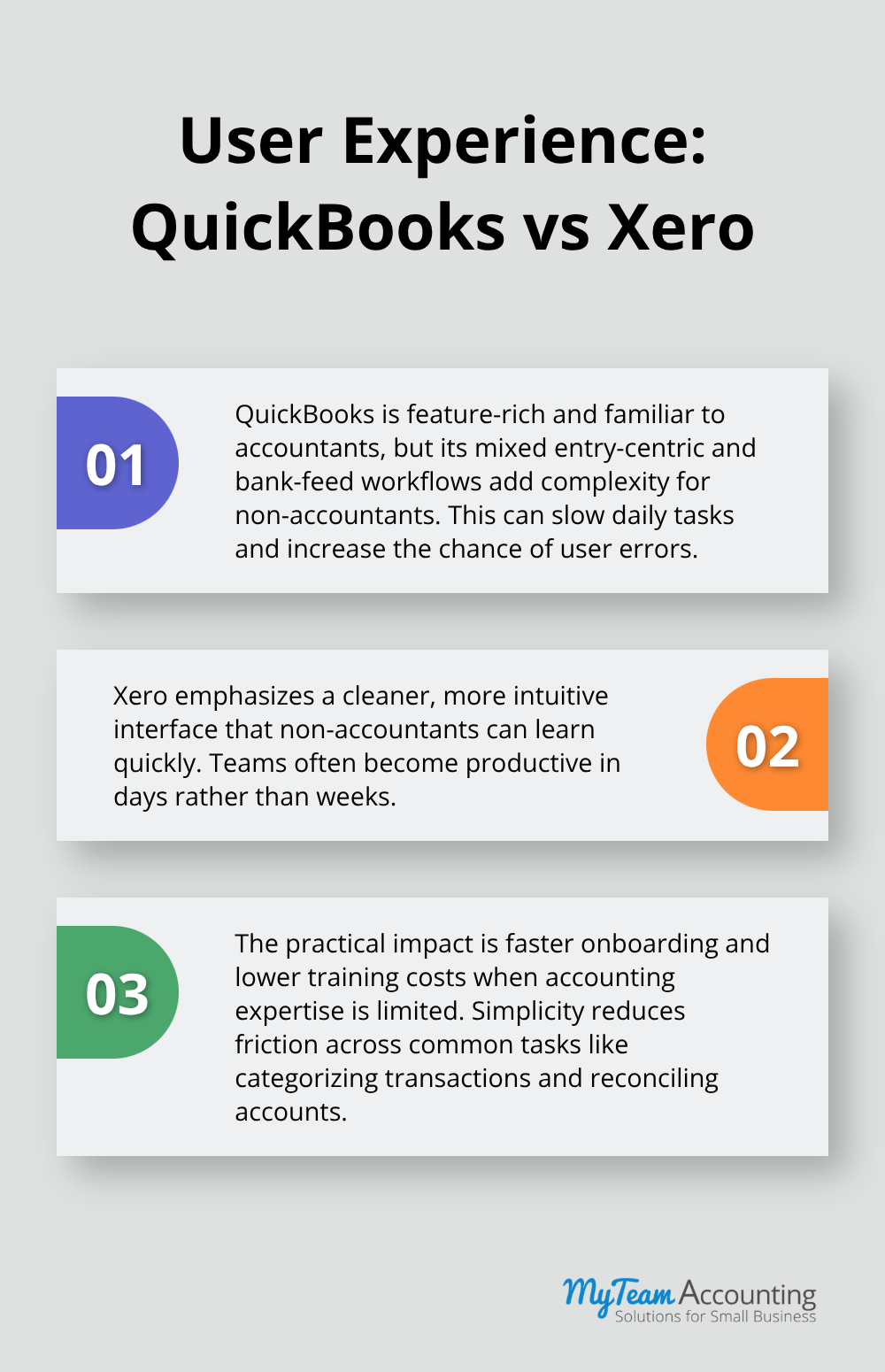
QuickBooks Online offers a feature-rich environment that appeals to accountants and bookkeepers already familiar with QuickBooks Desktop, but this familiarity comes at a cost for small business owners without accounting backgrounds. The interface mixes entry-centric workflows with bank-feed automation, creating confusion for users who expect a streamlined path from transaction to reconciliation. Many users report that recent updates have actually made the platform harder to navigate, with feature bloat creating friction rather than efficiency. Xero takes the opposite approach with a cleaner, more intuitive interface that non-accountants can master within days rather than weeks. The difference matters practically: if your team lacks accounting expertise, Xero’s design reduces onboarding time and training costs significantly.
Reporting and Financial Analysis
QuickBooks compensates with stronger native reporting capabilities, offering 50+ standard reports that let you examine profitability, cash flow, and tax obligations without leaving the platform. Xero provides real-time reporting but requires add-ons for the kind of custom analytics that accountants and finance professionals often need. For core accounting functions, both platforms handle invoicing, expense tracking, and bank reconciliation competently, though QuickBooks integrates payment processing directly while Xero requires third-party payment apps. This distinction matters less than it appears because most small businesses already use separate payment processors anyway.
Native Integrations and Ecommerce Syncing
Integration capabilities reveal where these platforms diverge most sharply for real-world operations. QuickBooks maintains a stronger native ecosystem, particularly for ecommerce platforms like Amazon, eBay, and Etsy where QuickBooks offers direct syncing that avoids reconciliation headaches common with third-party connectors. If you run an ecommerce operation, this native integration saves hours on fee reconciliation and disbursement tracking. Xero offers over 1,000 integrations through its marketplace and maintains a developer-friendly API, but ecommerce users consistently report more reliance on middleware solutions and occasional reconciliation challenges with Amazon specifically.
Payroll and Inventory Management
Both platforms require middleware for complex integrations regardless, so switching between them won’t solve underlying integration problems with your existing tools. QuickBooks edges ahead for payroll integration across all 50 states, while Xero’s payroll capabilities vary by region and often require partners like Gusto in the United States. Inventory management tilts decisively toward QuickBooks for native functionality, though both platforms work seamlessly with Fishbowl Advanced when you need serious inventory control. The practical reality: choose QuickBooks if ecommerce integration or advanced inventory management matter to your operation; choose Xero if your team values ease of use and you can tolerate additional integrations to reach advanced features.
Understanding how these platforms perform in real-world scenarios sets the stage for evaluating their cost structures and scalability-factors that ultimately determine whether your investment pays off as your business expands.
Pricing, Scalability, and Support
Cost Structure and Plan Options
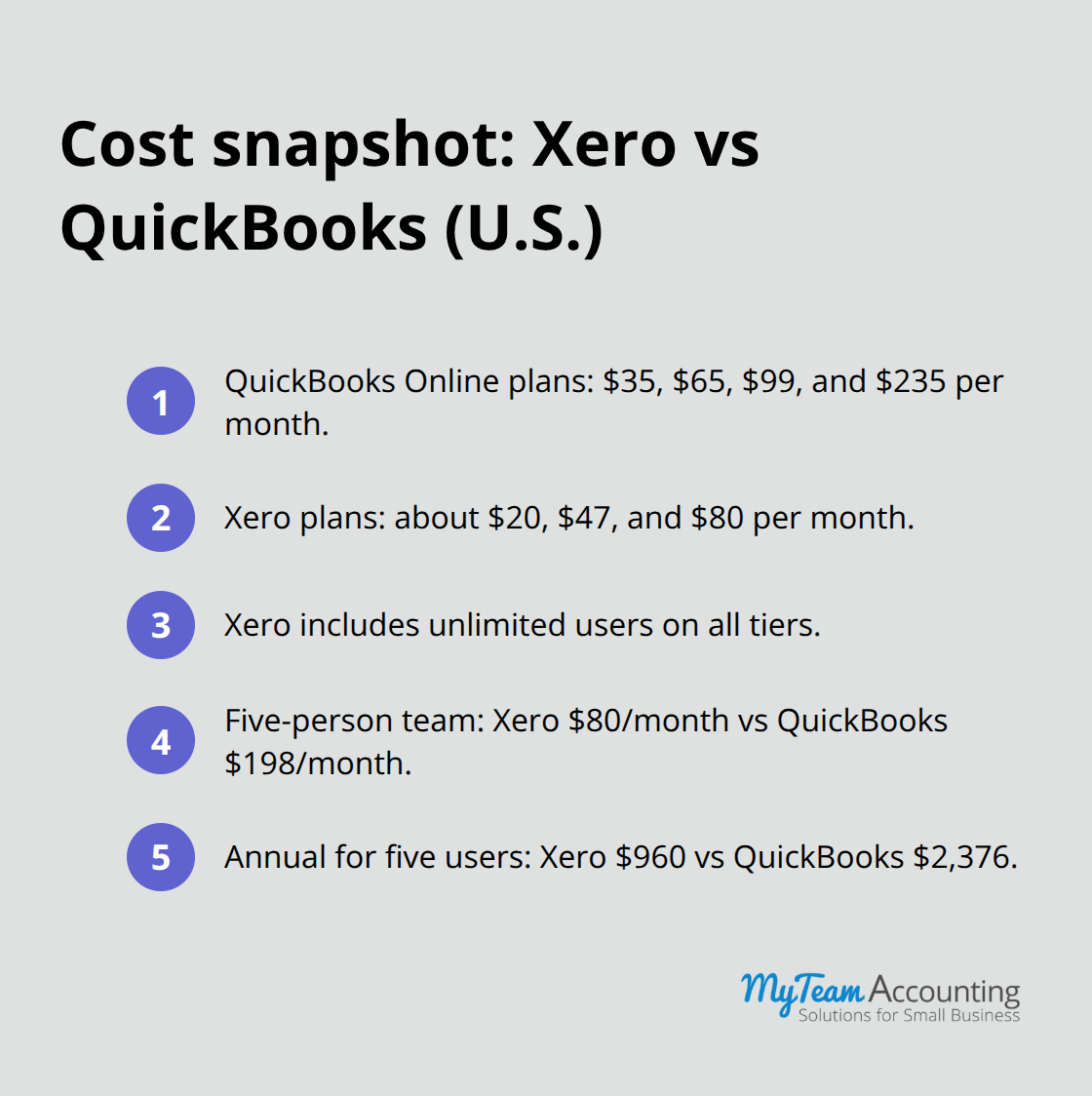
QuickBooks Online pricing starts at $35 monthly for Simple Start but quickly climbs to $65 for Essentials, $99 for Plus, and $235 for Advanced as you add users and features. Each plan tier caps the number of users you can add, meaning a team expansion forces mandatory upgrades that inflate your monthly bill beyond the base price. Xero operates differently with three plans at roughly $20, $47, and $80 monthly, but the critical advantage sits in unlimited users across all tiers. For a five-person accounting team, Xero costs $80 while QuickBooks Plus at $99 covers only three users, forcing you to pay $198 for five seats total. This compounds annually: Xero runs $960 per year for unlimited access versus QuickBooks at $2,376 for the same team size.
The math shifts further when you factor in integrations. QuickBooks bundles payroll across all 50 states into its ecosystem, while Xero typically requires third-party payroll partners like Gusto, adding $40 to $150 monthly depending on employee count. If inventory management matters to your operation, both platforms pair with Fishbowl at similar costs, but QuickBooks users benefit from tighter native integration that reduces setup friction. The honest assessment: QuickBooks charges premium pricing for a feature-rich platform that many small businesses never fully utilize, while Xero offers better value for teams that prioritize collaboration and cost control.
Ability to Scale as Your Business Grows
QuickBooks Online was architected for mid-sized companies with complex reporting needs, so its advanced features and customization options become genuinely valuable only when you have dedicated accounting staff who understand the platform deeply. Xero was purpose-built for small business growth, meaning its core functionality remains clean and efficient whether you operate solo or manage a 20-person team. The platform you select should match your current complexity, not your aspirational future state, because switching systems later creates data migration headaches and operational disruption.
Customer Support and Training Resources
Customer support differs markedly between these platforms. Xero provides 24/7 email and chat support with consistent response times, while QuickBooks offers phone and chat support during business hours but users frequently report long wait times and inconsistent quality. Expert implementation support accelerates onboarding and resolves platform friction faster than either vendor’s standard support, particularly when you need custom training or system cleanup. The practical recommendation: if your business runs lean with minimal accounting complexity, Xero’s streamlined approach and unlimited-user model deliver superior value. If you operate ecommerce with heavy inventory and require advanced reporting, QuickBooks justifies its higher cost only when paired with expert implementation support that optimizes your workflows from day one.
These cost and support considerations directly impact which platform will serve your specific industry and operational model-a distinction we’ll explore next.
Which Platform Fits Your Business Model
Service-Based Businesses: Xero Delivers Superior Value
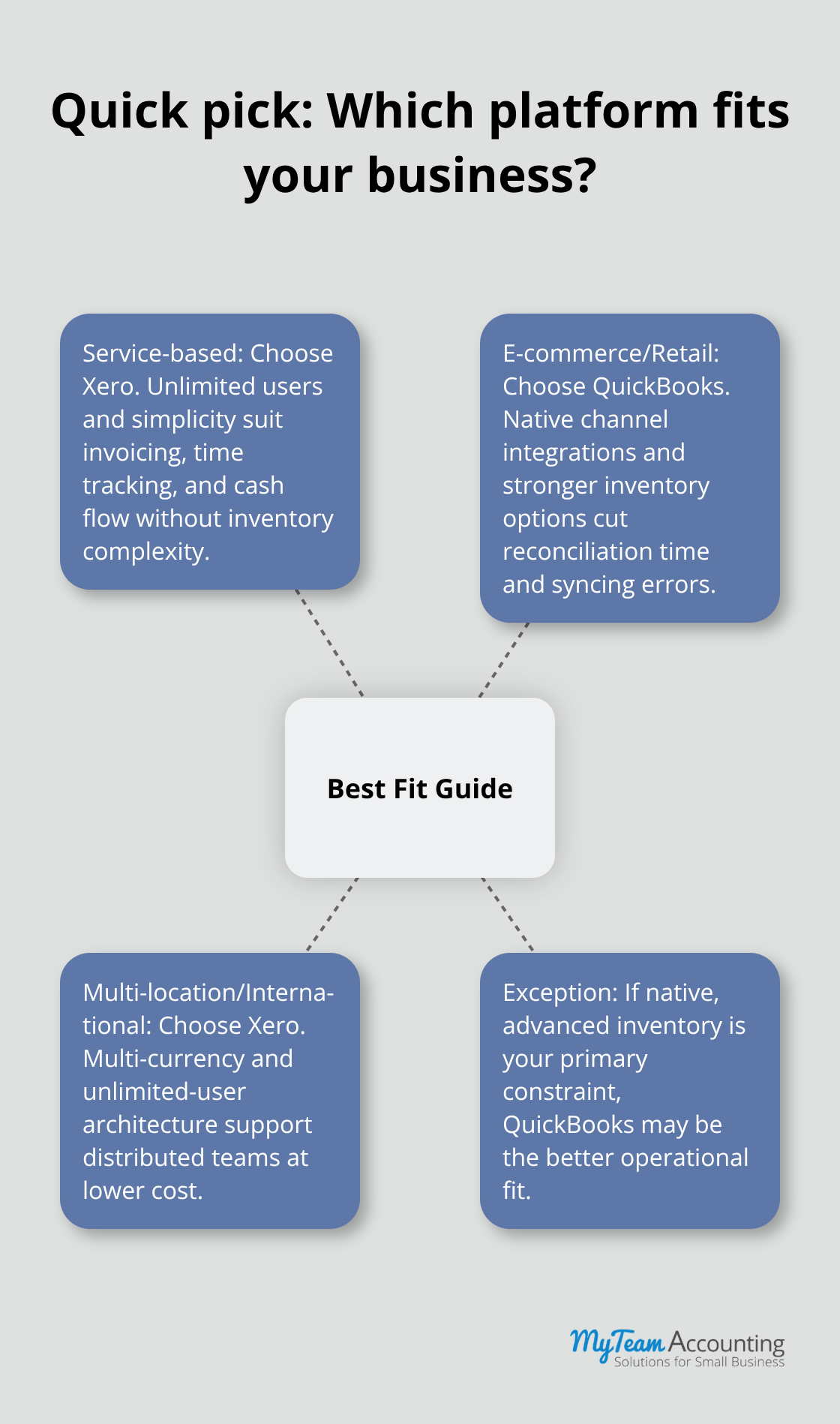
Service-based businesses thrive on Xero because they generate straightforward transaction flows without inventory complexity. A consulting firm, law practice, or marketing agency processes invoices, tracks billable hours, and monitors cash flow without needing native inventory management or advanced ecommerce integrations. Xero’s unlimited-user model allows your entire team to access real-time financial data simultaneously, enabling project managers to monitor profitability and accountants to reconcile transactions without access restrictions. QuickBooks Plus costs $99 monthly for three users, forcing a service business with five team members to pay $198 monthly for full access. Xero’s Growing plan at $47 monthly covers unlimited users at less than a quarter of that cost. For service-based operations, this pricing advantage alone justifies the switch, particularly when your primary accounting need involves tracking time, invoicing clients, and managing cash flow rather than managing inventory across multiple locations.
E-Commerce and Retail: QuickBooks Eliminates Integration Friction
E-commerce and retail operations demand QuickBooks because native integrations with major sales channels eliminate reconciliation friction that plagues Xero users. When you sell across multiple channels, fee structures vary by platform and reconciling disbursements against accounting entries becomes a critical operational task. QuickBooks syncing software handles this natively, automatically categorizing platform fees and matching disbursements to your general ledger without manual intervention. A retailer processing $100,000 monthly across Amazon and Etsy spends roughly five hours weekly reconciling transactions in Xero using third-party connectors versus 30 minutes in QuickBooks with native syncing. Over a year, that equals 240 hours of accounting labor that QuickBooks eliminates through superior integration. Pair QuickBooks Plus at $99 monthly with Fishbowl Advanced for inventory management, and you create an integrated system where stock updates automatically sync to financial records, preventing the inventory-accounting mismatches that plague retail operations without proper middleware.
Multi-Location and International Operations: Xero’s Architecture Supports Distributed Teams
Multi-location and international businesses should prioritize Xero because its multi-currency handling and unlimited-user architecture support distributed team structures that service-based and retail operations rarely need. A business operating in the US, Canada, and Mexico requires separate bank feeds, currency conversions, and consolidated reporting across entities. Xero’s Established plan at $80 monthly includes multi-currency support and unlimited users, allowing your Mexico City accountant, Toronto controller, and Austin owner to access real-time financial data simultaneously without paying per-seat premiums. QuickBooks charges $235 monthly for Advanced, which still caps users and forces additional licensing for each person needing access. For international operations, Xero’s cleaner interface also matters more because distributed teams rely heavily on self-service access to reduce communication friction across time zones. The practical decision: choose Xero for service-based businesses prioritizing cost control and team collaboration, select QuickBooks for ecommerce operations where native integrations justify premium pricing, and default to Xero for multi-location or international businesses unless native inventory management becomes your primary operational constraint.
Final Thoughts
QuickBooks and Xero represent fundamentally different approaches to accounting software. QuickBooks prioritizes feature depth and native integrations, making it the stronger choice for ecommerce operations where platform syncing eliminates reconciliation work that would otherwise consume hours weekly. Xero emphasizes simplicity and collaboration, delivering superior value through unlimited user access and a cleaner interface that non-accountants can navigate without extensive training.
Your decision framework should start with your core business constraint. If you sell across multiple channels and inventory management drives your operations, QuickBooks justifies its premium pricing through native integrations that prevent the reconciliation friction plaguing Xero users. If your team needs simultaneous access to financial data without per-seat licensing costs, Xero’s unlimited-user model delivers measurable savings that compound annually (particularly for service-based businesses where cost and ease of use typically win over QuickBooks). For retail and ecommerce operations, QuickBooks eliminates integration headaches that would otherwise require expensive middleware solutions.
Test both platforms with your actual data during free trial periods to evaluate how each handles your invoicing workflow, bank reconciliation process, and reporting requirements. Calculate total cost of ownership across all users, add-ons, and integrations rather than comparing base plan pricing alone. Consider engaging implementation support to optimize your workflows from day one, particularly if your operation involves complex integrations or multi-location accounting, and schedule regular team training sessions to ensure everyone understands how to use your chosen finance tools effectively.